
Your Studio in Your Pocket: The DJ’s Android Toolkit
You’re loading in for a wedding, checking the running order, and the couple suddenly asks for a version of the first dance without vocals. Or you’re on the train home, headphones on, and a beat lands in your head that you know will work if you catch it before the moment goes. A few years ago, both situations meant hassle. You’d either make do with the wrong tool or wait until you were back at a laptop.
That gap has closed. A good Android phone now handles a surprising amount of real musical work. It won’t replace every part of a studio or a club booth, but it can absolutely cover prep, sketching, practice, editing, and emergency fixes. For DJs, that matters. For musicians, it matters even more. The best setups are the ones that remove friction when time is tight.
This list is built from that mindset. It isn’t a generic roundup of whatever sits highest in the Play Store. It’s a practical toolkit for real jobs: wedding set prep, backup mixing, beat ideas on the move, rehearsal support, stem creation, and quick production when you’re away from your main rig. Stability matters more than flashy promises. Integration matters more than novelty.
That’s also why some apps here do very different jobs. A DJ app and a metronome app aren’t rivals. They solve different problems in the same working week. One gets you through a drinks reception edit. Another keeps a band locked in at rehearsal. Both earn their place if they save time and stop mistakes.
If you’re searching for the best musician apps for android, start with the problem you need to solve most often. Then build around it. That approach works better than downloading ten apps and using none of them properly.
1. djay

djay for Android is one of the few mobile DJ apps that feels built for performance rather than novelty. That distinction matters. Plenty of apps let you crossfade two songs. Fewer let you prep cues, test transitions, work with stems, and trust the interface when you’re moving quickly.
For Android DJs, djay is strongest as a serious backup and rehearsal tool. The 2 deck and 4 deck layouts are clean. Beat sync is quick to engage. Hot cues, looping, effects, and library browsing all sit where they should. If you already think in terms of phrase changes and energy management, the app gets out of the way.
Where djay fits best
A significant advantage is flexibility. You can use it to rehearse a wedding opener, pressure test a last-minute playlist, or carry a compact emergency setup when you don’t want to drag extra hardware. Neural Mix style stem control is useful too, especially for trimming vocals out of a section or building a quick live variation when a room needs more space before the next drop.
A good visual reference for that sort of workflow sits nicely with this DJ booth setup image from VinylGold.
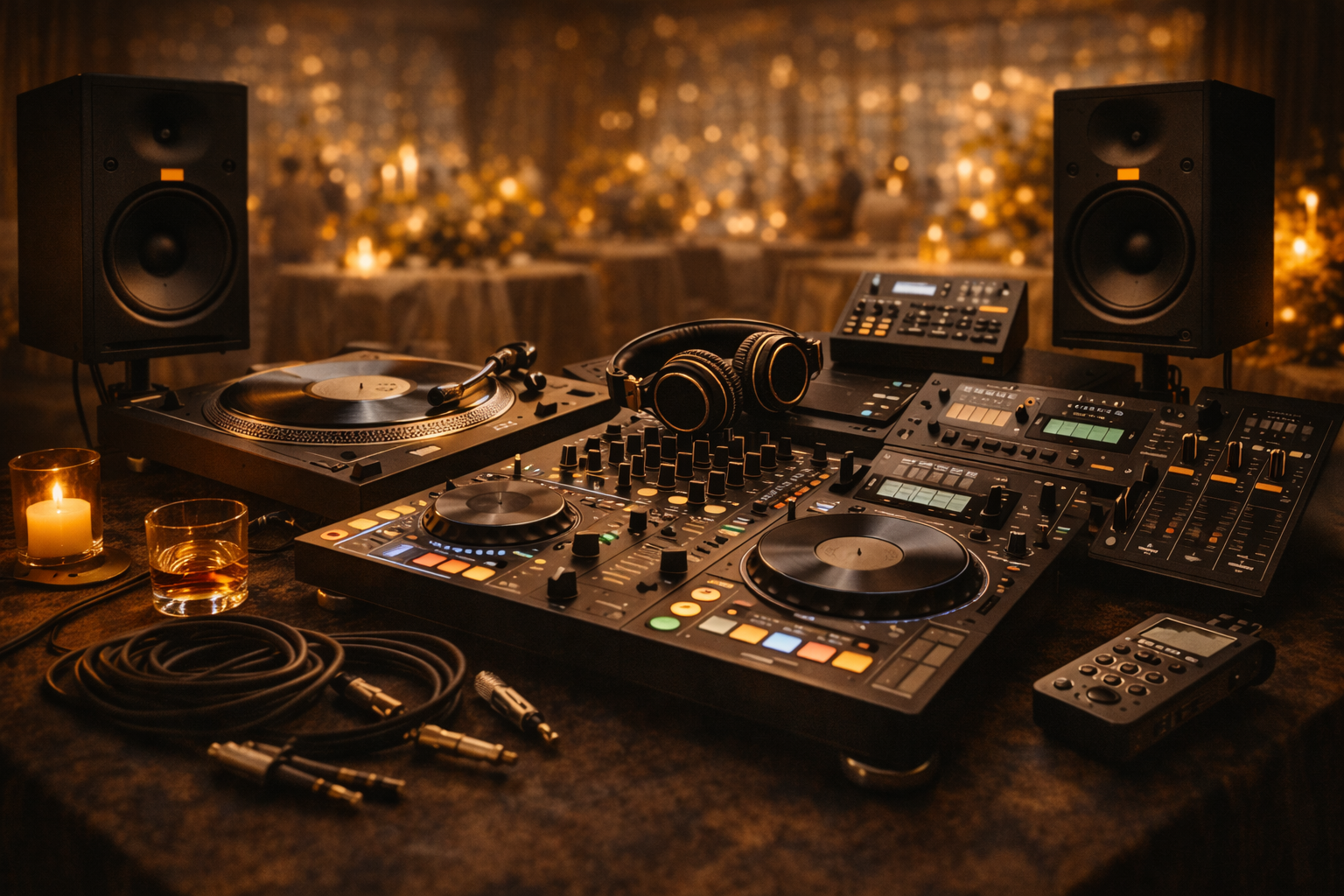
Practical rule: If you’d trust an app only for bedroom mixing, it doesn’t belong in an event workflow. djay gets closer to gig-safe than most Android DJ apps.
Its MIDI controller support is another advantage. Not every Android device behaves the same, but on a stable phone or tablet with a straightforward USB setup, djay can become more than a touchscreen toy.
- Best use case: Backup mixing, rehearsal sets, mobile warm-ups, and quick edits before a gig.
- Main strength: The interface feels mature and performance-led.
- Main drawback: The best features sit behind djay Pro or subscription access.
If you’re a wedding or event DJ, I’d treat djay as a second system you regularly practise on, not just an emergency install you hope will work when things go wrong.
2. rekordbox for Android

If you play on Pioneer kit in venues, rekordbox makes sense before you even open the app. Familiarity matters. So does reducing translation between your phone prep and the players you’ll use later.
rekordbox for Android isn’t the app I’d reach for first if I wanted a touch-first mixing experience. It is the app I’d keep close if my working life already runs through the Pioneer ecosystem. Playlist prep, sorting, cloud sync, and library housekeeping are the reasons to use it.
Best for venue-standard workflows
rekordbox earns its place, allowing you to tidy playlists on the move, adjust running orders, and keep your library aligned with what you use on desktop and supported hardware. For club DJs and event DJs, that’s often more valuable than fancy mobile-only tricks.
The practical booth angle is obvious in this VinylGold booth image sized for smaller screens.
The trade-off is that Android support can feel uneven depending on device and feature set. Some updates land differently across platforms, and certain functions can feel more companion-like than central. That isn’t a deal-breaker. It just means you should think of rekordbox on Android as a prep station first.
In venue work, the best mobile app is often the one that keeps your main system organised, not the one with the flashiest performance screen.
There’s another reason it belongs on a list of the best musician apps for android. Professional workflow still beats feature overload. If your sets end up on CDJs and your playlists live in rekordbox already, using the mobile version removes pointless duplication.
A few points matter most:
- Strongest fit: DJs already using Pioneer or AlphaTheta gear.
- What works well: Playlist management, library sync, and on-the-go prep.
- What doesn’t: Don’t expect every Android device to offer the same polished experience.
For weddings, private events, and corporate work, rekordbox is a calm, useful app. It won’t impress you with gimmicks. It will help you stay organised, which is usually more important.
3. edjing Mix

edjing Mix for Android sits in a useful middle ground. It isn’t as deep as the top-end DJ apps for demanding workflows, but it’s far more capable than the throwaway beginner tools that flood mobile app stores.
That’s why I still rate it. Sometimes you don’t need a full ecosystem. You need a fast setup, clear decks, basic effects, loops, and enough confidence to run a casual party set, a warm-up room, or a practice session without friction.
Fast learning curve, sensible limits
edjing Mix gets people moving quickly. The 2 deck layout is easy to read. Beat matching tools help newer DJs avoid obvious train wrecks. Effects like filter, flanger, echo, and beatgrid tricks are straightforward enough to use without digging through menus. On-device recording is handy too, especially if you want to listen back to transitions on the way to the next job.
That simplicity is the point. Some apps bury the basics under a load of features that look good in screenshots. edjing Mix doesn’t pretend to be a full club-standard platform. It gives you enough to mix.
A few trade-offs are worth being blunt about:
- Good for: Beginners, occasional DJs, mobile party sets, and quick practice.
- Less good for: Complex event work where you need deeper reliability and more refined library control.
- Watch for: Subscription gates on advanced features, plus streaming support that can change over time.
What I like most is that it doesn’t punish casual use. You can open it after a gap, find your way around quickly, and get to work. That makes it useful for musicians who DJ occasionally, not just dedicated DJs.
If you’re the kind of person who plays a birthday one weekend, does a wedding drinks set the next, and then spends two weeks not touching DJ software, edjing Mix makes more sense than a heavier platform. It won’t replace a full booth workflow, but it doesn’t need to.
4. BandLab

BandLab earns its place in this list for one reason. It gets ideas recorded before they disappear. If I am travelling to a wedding booking, waiting through soundcheck, or sat with a vocalist who has just landed on a melody, BandLab is one of the quickest ways to turn that moment into a usable session.
That speed matters in real workflows. BandLab gives you multitrack recording, basic editing, loops, effects, vocal processing, and cloud sync in one app. On Android, that combination is practical. You can capture a hook, stack rough harmonies, mark out an arrangement idea, and send it to a collaborator without having to export stems and explain file names afterwards.
Best for fast capture and remote collaboration
BandLab fits musicians who need momentum more than polish on the first pass. Songwriters can sketch structure quickly. Producers can build rough ideas on the move. Bands can keep one shared project alive instead of losing parts across voice notes, chat threads, and half-finished demos.
The collaborative side is what separates it from a lot of mobile recording apps. Comments, shared projects, and cloud access make it useful for remote writing and revision. For DJs and producers, that can mean testing a vocal idea with an MC, collecting topline drafts from a singer, or keeping remix notes in one place while away from the main studio.
This visual from VinylGold suits that kind of song-led workflow well: Music that feels personal and events that feel legendary.

BandLab is not the Android app I would choose for detailed final production. The trade-off for accessibility is depth. Editing is fine for sketching and cleanups, but serious arrangement work, tighter mixing decisions, and heavier offline sessions are still better handled in a dedicated DAW.
BandLab works best as a capture and collaboration tool. Get the idea down, keep the project moving, then finish it in a fuller production setup if needed.
That is why it belongs in a tested mobile toolkit. It is stable enough to trust for real use, quick enough to keep creative momentum, and helpful when several people need to work on the same idea without friction.
5. FL Studio Mobile

FL Studio Mobile is for people who want a real production environment on Android, not just a sketchpad. That distinction is important. Some mobile music apps are brilliant for capturing raw ideas but awkward once you start arranging properly. FL Studio Mobile goes further.
If your brain already works in patterns, step sequencing, piano roll edits, and fast arrangement changes, this app feels familiar quickly. It’s touch-first, but it still behaves like a proper DAW.
Best for beatmakers who finish what they start
FL Studio Mobile stands out. You can build drums, write basslines, sequence synth parts, automate movement, record audio, and export in several practical formats. If your main studio runs FL Studio on desktop, the handoff is one of its biggest strengths. That alone makes it useful for travelling producers and DJs who build edits while away from home.
Its sound library helps too. There’s enough included to start working without loading loads of extras. That matters on mobile. The less setup required, the more likely you are to finish the idea.
What works well in practice:
- Piano roll editing: Still one of the cleanest ways to write melodies and drums on a small screen.
- Offline reliability: Great when you’re travelling or working somewhere with poor signal.
- Desktop compatibility: Easy to move from mobile draft to fuller studio session.
The main compromise is social workflow. FL Studio Mobile is less collaborative than cloud-first tools like BandLab. It’s more of a self-contained production room than a shared workspace. Optional sound packs can also pull the cost up if you like expanding your palette.
For DJs, I like it for making short edits, intros, transitions, and mash-up ideas. For producers, it’s solid enough to build whole tracks if you’re comfortable working inside the FL ecosystem. If your process is private, pattern-led, and detail-focused, it earns its place among the best musician apps for android.
6. Cubasis 3

Cubasis 3 is one of the few Android DAWs that feels aimed at musicians who already know what proper editing depth looks like. It doesn’t try to charm you with speed alone. It wins on control.
For serious mobile production, that matters. If you’re editing audio closely, shaping arrangements, handling MIDI with more precision, or doing more than rough demo work, Cubasis 3 is one of the stronger choices on Android.
Desktop-style depth on a mobile screen
The attraction here is obvious. You get a high-resolution audio engine, detailed editing, time-stretching, pitch-shifting, mixer functions, group tracks, and broad MIDI support. It feels closer to a compact workstation than a casual app.
That extra depth has a cost. Cubasis 3 asks more of your time and your device than a lighter app would. On the right phone, tablet, or Chromebook, that’s fine. On underpowered hardware, it can feel like too much app for too little screen.
Still, if you’re travelling and need one mobile DAW that can handle proper arrangement decisions, it’s a strong contender.
- Choose Cubasis 3 if: You want editing depth, stronger mixing tools, and more traditional DAW structure.
- Skip it if: You mainly need quick sketches or social collaboration.
- Expect: A steeper learning curve than simpler mobile music apps.
I wouldn’t hand Cubasis 3 to a complete beginner first. I would hand it to a producer, keyboard player, composer, or engineer who wants real control away from the studio. In that context, it’s excellent. It feels less playful than Koala or BandLab, but far more serious when a track starts turning into actual release work.
7. Audio Evolution Mobile Studio

Audio Evolution Mobile Studio has a very specific strength. It takes Android recording more seriously than most apps do.
That makes it especially valuable for musicians who use external gear. If you want to plug in a class-compliant USB interface, record multitrack audio, and work with lower latency than the average mobile app offers, this is one of the best options on the platform.
The app for proper Android recording
A lot of Android music software is built around virtual instruments, loops, and idea capture. Audio Evolution leans hard into recording and mixing. It supports multitrack audio and MIDI, piano roll editing, buses, automation, and non-destructive editing. The custom USB audio driver is the key feature in practice.
That means this app works best when your workflow includes actual hardware. Think rehearsal recordings, acoustic sessions in a hotel room, podcast-style voice capture, or live instrument overdubs away from the studio.
If you’re plugging microphones or instruments into your Android device, generic apps usually show their limits fast. Audio Evolution is one of the few that doesn’t.
Its biggest strength is also its biggest condition. To get the best from it, you need compatible gear and a bit of patience with setup. If you want instant phone-only sketching, use something lighter. If you want location recording that feels closer to desktop work, Android becomes a serious option.
The paid add-ons are worth noting too. Some advanced processing sits behind in-app purchases, so you should think of this as a modular tool rather than a one-download complete studio.
For bands and serious musicians, though, it solves a real gap. It’s one of the few apps here that I’d trust for recording work where the audio quality matters as much as the idea.
8. Koala Sampler

Koala Sampler is pure momentum. Open it, grab a sound, chop it, sequence it, resample it, and keep going. That speed is why so many musicians stick with it.
This isn’t a full DAW replacement. It’s better than that in one narrow area. It helps you catch creative sparks before your brain starts overthinking them.
The quickest route from idea to groove
Koala is brilliant for sampling everyday sounds, lifting a vocal phrase from a memo, building rough drums, or sketching a DJ tool that you’ll finish elsewhere. The layout is tactile in the right way. You don’t feel buried in menus. You feel invited to hit pads and make decisions.
For DJs and beatmakers, that’s gold. You can build quick stabs, edit transition sounds, test percussion loops, or create stripped-back edits for event use. For producers, it’s one of the best front-end idea machines on Android.
Here’s the honest split:
- What it does best: Sampling, sequencing, resampling, fast beat creation.
- What it doesn’t do best: Deep mixing, final arrangement, polished mastering.
- Best workflow: Start in Koala, export stems, finish in a DAW.
That export-first mentality is important. If you expect desktop-level arrangement detail, you’ll hit the ceiling. If you use Koala as a fast creative launcher, it’s excellent.
I rate it highly for train journeys, backstage downtime, and those odd 15-minute windows where a full DAW feels too heavy. Among the best musician apps for android, Koala is probably the one most likely to make you create something today rather than organise a session for later.
9. Moises

Moises solves a problem that used to take far too long. You need the music without vocals. You need an acapella. You need to hear the bass line clearly, shift key, slow a track down, or build a cleaner practice version for a singer or guitarist. Instead of opening three desktop tools, you can often sort it on your phone.
That’s why it belongs in a serious Android music toolkit. For working DJs and practising musicians, stem separation is no longer a novelty feature. It’s part of normal prep.
Best for edits, practice parts, and emergency fixes
At weddings and private events, requests change. Timings shift. First dances need special handling. Moises is useful because it lets you separate parts, detect key and BPM, alter pitch and tempo, and create stripped-back versions quickly.
For bands, it’s equally practical. If a player needs to learn a part, isolating drums, bass, or vocals makes rehearsal prep much easier. It’s not magic. Source quality still matters, and dense mixes don’t always split perfectly. But the time saved can be substantial.
A good stem tool doesn’t need to create perfection. It needs to create something usable before the gig starts.
Its cross-device workflow helps as well. You can start on mobile, review on desktop, and return to mobile if the set changes while you’re out. That kind of continuity matters more than flashy branding.
The caution is simple. Paid plans provide better models and larger usage limits, and separation quality still varies by source. Don’t leave critical edits until the venue car park. Prepare early, then use Moises for refinement and rescue work when needed.
For practical musicians, that’s enough reason to keep it installed.
10. The Metronome by Soundbrenner
The Metronome by Soundbrenner is the least glamorous app on this list and one of the most useful. Tempo discipline doesn’t trend, but it saves rehearsals, improves recordings, and tightens bands far more than a flashy plugin ever will.
This app goes well beyond a basic click. You get subdivisions, accents, polyrhythms, setlists, tempo presets, practice tracking, Ableton Link, MIDI options, and integration with Soundbrenner wearables if that suits your setup.
Why disciplined players keep this installed
A weak metronome app gets ignored. A good one becomes part of your routine. Soundbrenner’s works because it’s configurable enough for serious practice but still simple enough to launch quickly.
That makes it useful across several scenarios:
- Band rehearsal: Build set-specific tempos and move through songs without constant resetting.
- Practice sessions: Work subdivisions properly instead of just checking basic quarter notes.
- Live performance support: Use Link or MIDI where your setup allows it.
I especially like it for musicians who bounce between acoustic playing, programmed music, and live band work. Those worlds expose timing issues differently. A configurable click helps reveal them.
One practical note. Some Android devices need a bit of permission tweaking or latency adjustment. That’s not unusual with timing-sensitive mobile apps. It just means you should test your setup before rehearsal rather than during it.
For DJs, it’s less about live use and more about training internal time. For players of instruments and MDs, it’s a daily utility. It’s not flashy, but neither is turning up prepared. That’s the point.
Top 10 Android Musician Apps: Feature Comparison
| Product | Core features ✨ | UX / Quality ★ | Value / Price 💰 | Target audience 👥 | Unique edge 🏆 |
|---|---|---|---|---|---|
| djay (Algoriddim) | 2/4‑deck mixing, Neural Mix stems, FX, Automix, MIDI | ★★★★ | 💰 Free/basic → Pro/sub for advanced | 👥 Mobile DJs, rehearsals, quick gigs | 🏆 Neural Mix stem separation & polished mobile UI |
| rekordbox for Android (Pioneer) | Cloud/library sync, playlist prep, Pioneer hardware link | ★★★☆ | 💰 Free starter; device‑dependent features | 👥 Pioneer‑kit DJs & venue performers | 🏆 Seamless Pioneer hardware & cloud prep |
| edjing Mix (MWM) | 2‑deck, beat‑matching, FX, sampler, on‑device recording | ★★★☆ | 💰 Free/basic; subscription unlocks extras | 👥 Casual DJs, warm‑ups, party hosts | 🏆 Very beginner‑friendly, fast setup |
| BandLab | Multitrack recording, cloud projects, loops & collaboration | ★★★★ | 💰 Core app free; membership for packs | 👥 Producers, collaborators, demo makers | 🏆 Free cloud DAW with frictionless collaboration |
| FL Studio Mobile (Image‑Line) | Piano roll, instruments, recording, export to FL desktop | ★★★★ | 💰 One‑time app purchase + optional packs | 👥 Beatmakers & FL desktop users | 🏆 Smooth handoff to FL Studio desktop |
| Cubasis 3 (Steinberg) | Desktop‑grade editing, time‑stretch, multi‑FX, MIDI depth | ★★★★☆ | 💰 Premium paid app | 👥 Serious mobile producers & travelling musicians | 🏆 Pro‑level mobile DAW with deep editing |
| Audio Evolution Mobile Studio | Multitrack audio/MIDI, custom low‑latency USB driver | ★★★★ | 💰 Paid app + IAPs for extras | 👥 Location recordists & mobile engineers | 🏆 Robust USB audio/interface support on Android |
| Koala Sampler | Up to 64 samples, sequencer, Ableton Link, FX, WAV export | ★★★★ | 💰 Low cost / one‑time purchase | 👥 Beatmakers, sketching producers | 🏆 Extremely fast, tactile sampling workflow |
| Moises | AI stem separation, key/BPM/chord detection, pitch/tempo tools | ★★★☆ | 💰 Freemium; higher quality on paid plans | 👥 DJs & producers preparing edits/practice | 🏆 Quick cross‑device stem separation for edits |
| The Metronome (Soundbrenner) | Configurable click, setlists, Ableton Link, MIDI, haptics | ★★★★ | 💰 Free app; optional wearable hardware | 👥 Bands, MDs, live performers & DJs | 🏆 Haptic tempo control + professional live tools |
Choosing Your Mobile Toolkit Final Recommendations
You are loading in for a wedding, the couple have changed the first dance edit an hour before doors, and the venue kit is standard Pioneer. In that situation, the best Android music apps are the ones that keep the night under control. Stability, fast setup, and clean handoff between jobs matter more than a long feature list.
For wedding and event DJs, I would build a small, dependable stack. Start with rekordbox for Android for playlist prep, cue checks, and library organisation around club-standard hardware. Keep djay ready as the backup mixing option if plans change or you need a second route. Add Moises for quick edits, stem-based prep, and fixing awkward source material before it becomes a problem in the room. These tools handle the tasks that commonly arise.
The point is simple. Use apps that support the set, not apps that ask for attention during it.
For producers, the choice comes down to workflow. Koala Sampler is still the quickest tool here for catching an idea and turning it into something usable before the moment passes. FL Studio Mobile suits pattern-based writing and makes sense if the desktop version is already part of your setup. Cubasis 3 is the better fit for producers who want a more traditional arrangement view, stronger editing, and a session structure that feels closer to desktop DAW work. BandLab stays useful for shared drafts and remote collaboration, but it is not the deepest option for detailed production.
Bands and practising musicians need a different toolkit. The Metronome by Soundbrenner helps lock rehearsals, set tempos consistently, and avoid the usual drift that creeps into live material. Moises earns its place again for learning parts and checking arrangements from reference tracks. Audio Evolution Mobile Studio is the one to choose when rehearsals, overdubs, or location takes need proper interface support instead of a basic phone recording.
As noted earlier, Android music use is strong enough now that mobile workflows no longer feel like a compromise. Clients expect quick changes. Artists expect files to move fast. Promoters and organisers expect problems to be solved on the spot. A phone or tablet can cover some of that load well, but only if the apps have been chosen for a real job.
The extra app worth mentioning is GuitarTuna. The app has passed 100 million downloads globally, as noted in Ditto Music’s roundup. I am careful with broad claims, but tuner apps stay relevant for a reason. If the instrument is out of tune, every recording, rehearsal, or live set starts badly.
The best musician apps for android are not the ones that promise everything. They are the ones that do one job well, fit into the rest of your setup, and keep working under pressure. Start with the problem you face every week, test the app in a real session, and build from there.
If you’re just starting your production path and want a wider look at entry-level software, this guide to best DAWs for beginners is a sensible next read.
If you’re planning a wedding, party, or brand event and want a DJ who cares as much about song choice, timing, and flow as the gear behind it, VinylGold is worth a look. They cover South East London and Kent with bespoke sets built around the room, the crowd, and the brief, blending disco, funk, soul, old-school house, and contemporary favourites with proper attention to detail.