

If you’re just starting out, the single best piece of kit you can get is a quality all-in-one DJ controller, which is among the best dj equipment for beginners. It’s the perfect launchpad, giving you all the essential tools you need to learn without a massive price tag or a confusing, complicated setup. Think of it as your command centre for mixing music.
Your DJ Journey Starts Here
Getting into DJing is an incredible creative buzz, but let’s be honest—the sheer amount of gear out there can be a bit much. The trick is to build a solid foundation that lets you master the core skills without emptying your wallet on equipment you don’t need yet.
At VinylGold, our philosophy is simple. We recommend gear based on what actually works, night after night, in the real world. We care about reliability and performance, not passing trends.
The Essential Starter Kit
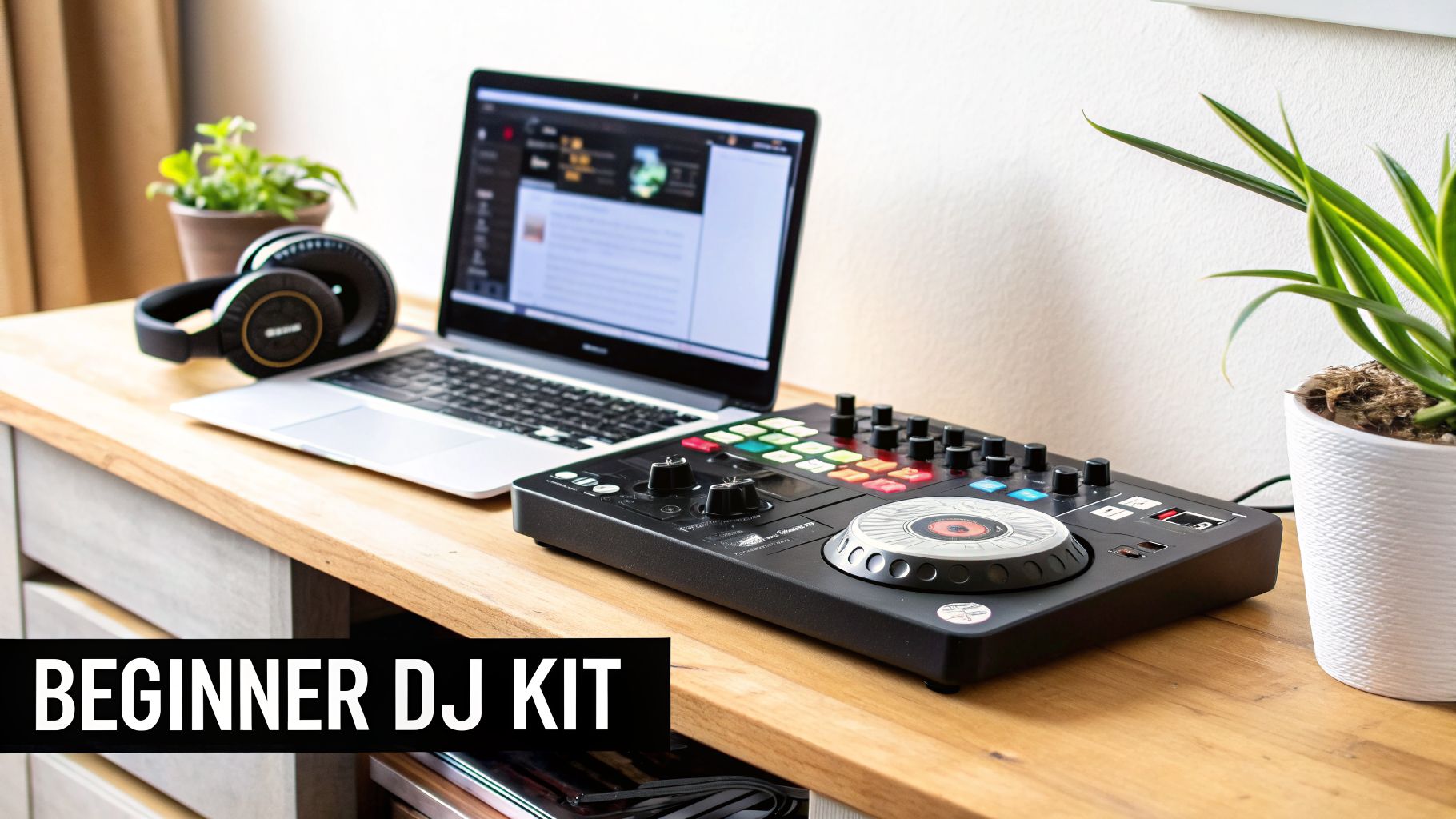
To get mixing right away, you really only need a few key items. These three pieces of equipment are your ticket to everything from practising in your bedroom to playing your first house party.
Here’s a quick look at the absolute essentials every new DJ needs to get started with the best dj equipment for beginners. This trio forms a complete, functional setup that will have you mixing in no time.
Essential Beginner DJ Starter Kit At a Glance
| Equipment Type | What It Does | Why It’s Essential for Beginners |
|---|---|---|
| DJ Controller | Combines a mixer, jog wheels, and performance pads into one unit to control your DJ software. | It’s an all-in-one solution that feels like a professional setup but is far more affordable and intuitive to learn on. |
| Headphones | Lets you listen to (or “cue”) the next track you want to play without the audience hearing it. | Absolutely critical for beatmatching and getting your transitions to sound smooth and seamless. |
| Speakers | Plays your main mix out loud for you and your audience to hear. | You need to hear how your mixes actually sound in a room to practise effectively and share your music. |
With just these three core components—a controller, a good pair of headphones, and some speakers—you can connect to a laptop you already own and start your DJ adventure immediately.
The interest in DJing has exploded, making it easier than ever to get into. In the UK, sales to amateur DJs have soared, now accounting for 38% of the entire market’s value as of 2024.
It’s no surprise that DJ controllers are the top pick, making up 42% of all amateur purchases thanks to their simple, plug-and-play design. But here’s a word of caution: choosing wisely from the start is vital. Over 40% of beginners end up upgrading their gear within the first year, often because they bought something cheap and unreliable to begin with. You can read more on this in the latest DJ equipment market analysis.
By focusing on this essential starter kit from day one, you’re not just buying equipment—you’re building a reliable foundation that will grow with you.
Understanding Your First DJ Controller
So, you’re ready to dive in, but what exactly is a DJ controller? It’s the heart of any modern setup, especially for beginners. Think of it as your command centre—a single piece of kit that packs the punch of turntables, a mixer, and creative tools, all designed to work hand-in-glove with the music on your laptop.
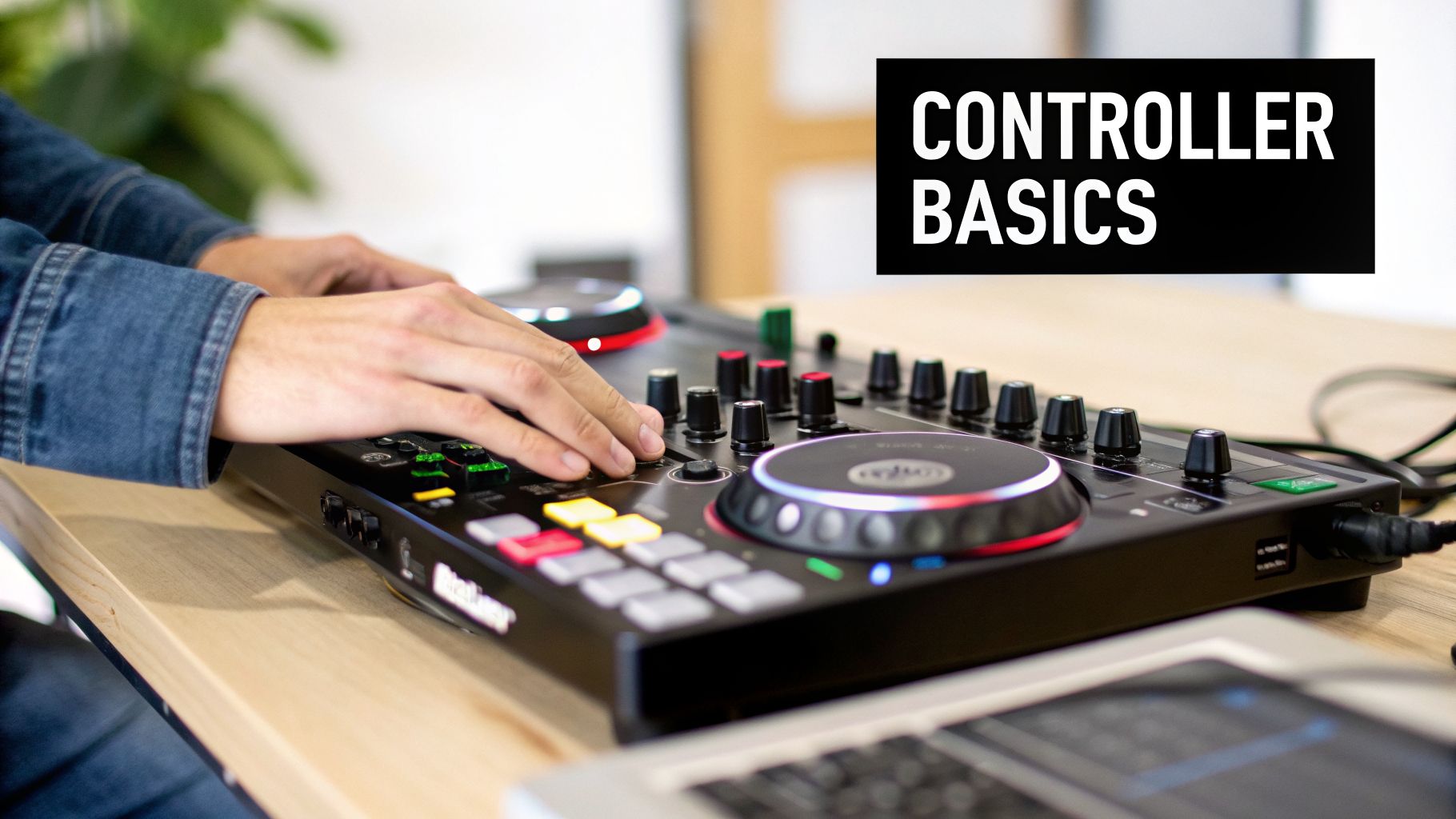
The easiest way to get your head around it is to picture a car’s dashboard. You’ve got your steering wheels (jog wheels) to nudge tracks into perfect time, your volume controls (faders) to mix them, and a bank of buttons (performance pads) to trigger effects and samples. It’s an all-in-one design that gives you real, physical control over the digital tracks on your screen.
Key Features on a Beginner Controller
When you start shopping, you’ll notice that not all controllers are built the same. Even at the entry-level, a few key parts make a huge difference in how quickly you’ll pick things up.
- Jog Wheels: These are the big, round platters on each side, your modern-day turntables. You’ll use them to scratch, scan through a song, and, most importantly, nudge a track faster or slower to beatmatch. A solid, responsive feel is non-negotiable here.
- Faders and Knobs: The long faders running up and down control the volume for each track, while the crossfader slides side-to-side to create a seamless blend between them. You’ll also see EQ knobs for tweaking the bass, mids, and treble to shape the sound.
- Performance Pads: These backlit rubber pads are where the real fun begins. You can use them to jump instantly to pre-saved cue points in a song, create live remixes with loops, or fire off sound effects to spice up your mix.
Here’s something a lot of new DJs miss: the built-in sound card. This little component is what takes the audio from your laptop and sends a clean, powerful signal to your speakers and headphones. Cheaper controllers often skip this, leading to weak or noisy sound—a classic beginner mistake. That’s why every controller in our VinylGold collection has a quality sound card, ensuring your mixes sound sharp and professional from your very first set.
How Software and Hardware Work Together
Your controller is a powerful tool, but it can’t do anything on its own. It needs software. Most beginner controllers come bundled with a starter version of an industry-standard program like Serato DJ Lite or Rekordbox. This is the software running on your laptop that displays your music library and track waveforms. The controller is simply the hands-on way you tell the software what to do.
If you’re keen to see how different models and software pair up, you can check out our detailed guide on the best DJ controllers for beginners.
When starting out, it’s wise to compare the features you’ll actually use. This table breaks down what you get as you move from a basic to a mid-range controller.
Beginner DJ Controller Feature Comparison
| Feature | Basic Controller | Mid-Range Controller | Why It Matters |
|---|---|---|---|
| Jog Wheels | Smaller, plastic | Larger, touch-sensitive, better feel | Better feel gives you more precise control for scratching and beatmatching. |
| Performance Pads | 4 pads per deck | 8 pads per deck, often with RGB colour-coding | More pads unlock more creative options for cues, loops, and effects without switching modes. |
| Channels | 2-channel mixing | 2 or 4-channel mixing | 2 channels are perfect for learning, but 4 channels let you mix more tracks for complex sets. |
| Built-in Sound Card | Basic quality | Higher resolution audio (e.g., 24-bit) | A better sound card means cleaner, louder, more professional-sounding audio for your audience. |
| I/O (Inputs/Outputs) | Headphone and one main output | Adds booth output, microphone input, AUX input | More I/O gives you flexibility to connect mics, external players, or a separate monitor speaker. |
Ultimately, even a basic controller gives you everything you need to master the fundamentals. A mid-range model simply offers more room to grow your skills.
One of the first big decisions you’ll make is whether to get a 2-channel or 4-channel controller. A 2-channel controller lets you mix two songs at once—that’s all you need to learn the art of blending. A 4-channel deck gives you the power to mix up to four tracks at the same time, opening up huge creative possibilities for when you’re more advanced. Honestly, for most people starting out, two channels are perfect. It’s focused, less overwhelming, and easier on the wallet.
Choosing Decks Turntables Vs Digital Players
While all-in-one controllers are a fantastic entry point, many DJs eventually feel the pull of a classic, modular setup. This brings you to a fundamental fork in the road: choosing your decks. These are the instruments that bring the music to life, and your decision boils down to two distinct paths: traditional vinyl turntables or modern digital media players (often called CDJs).
This choice is about more than just gear; it shapes your entire approach to mixing. Each option teaches different skills and offers a completely different feel, so it’s vital to understand what you’re signing up for before you invest.
The Timeless Allure of Vinyl Turntables
Mixing on turntables is a true hands-on art. There are no screens to tell you when your tracks are in time; you have to master the foundational skill of beatmatching by ear. It’s a physical process of nudging the record, tweaking the pitch, and listening intently until the two rhythms lock into a single, perfect groove.
This tactile connection is what has captivated DJs for decades. You literally feel the music under your fingertips. When you’re picking out your first turntables, the most critical feature to understand is the drive system.
- Direct-Drive Turntables: Here, the motor is connected right to the platter. This gives you instant torque and rock-solid speed stability—the industry standard for DJing. It’s built to handle quick starts, stops, and scratching without putting any strain on the motor.
- Belt-Drive Turntables: In this design, the motor sits off to the side, spinning the platter with a rubber belt. They’re fine for just listening to records at home, but they are not suitable for DJing. That belt can stretch and slip when you’re trying to mix, making beatmatching a nightmare.
Learning on vinyl forces you to build an incredible musical ear, a skill that will serve you no matter what equipment you use down the line. If you’re drawn to the classic art of spinning records, our guide to the best turntables for DJs breaks down everything you need to know.
The Modern Club Standard Digital Players
On the other side of the spectrum, digital media players—like Pioneer DJ’s famous CDJs—are packed with modern features that make mixing far more visual and forgiving. These are the decks you’ll find in almost every club and festival booth on the planet. Instead of vinyl, they play digital music files from a USB stick.
The biggest advantage of digital players is the visual feedback. Their screens show you everything from track waveforms to BPM counters, allowing you to see how two tracks are lining up. This can dramatically shorten the learning curve for beginners.
Digital players are the bridge between a simple controller and a full-blown professional rig. They give you a standalone experience—no laptop needed—which is exactly how most pro DJs perform. If your dream is to play in professional venues, starting on gear that mirrors the club standard is a very smart move. It prepares you for a seamless transition when you get your first big gig.
Finding the Right Headphones, Speakers, and Mixer
Your controller or decks are just the beginning of the story. To truly hear, shape, and then share your music, you need the right audio gear to bring your setup to life. This is where headphones, speakers, and a mixer come in—the trio that handles everything from quiet practice sessions to a packed dance floor.
Choosing these accessories carefully is one of the most important steps in building a great setup for a beginner. The gear you pick here will directly shape how you learn essential skills like beatmatching and EQing. Let’s get into what you need and why it matters so much.
Choosing Your DJ Headphones
DJ headphones aren’t just for casual listening; they’re a vital tool for mixing. Forget what the big consumer brands are pushing. Unlike the headphones you use for your phone, these are built specifically for the demands of a live DJ environment.
Here’s what you should actually be looking for in a solid pair of DJ headphones:
- Excellent Sound Isolation: They need to create a seal around your ear to block out the noise from the main speakers. This lets you clearly hear the track you’re cueing up. Look for a closed-back, over-ear design to get this right.
- Rotating Earcups: You’ll spend a lot of time listening with just one ear, comparing the track in your headphones to what’s playing live. Headphones with swivelling earcups make this one-ear monitoring comfortable and practical.
- Durable Build: Your headphones are going to take a beating. Look for a strong headband, a robust frame, and a coiled, detachable cable that can handle being pulled and twisted night after night.
A classic beginner mistake is trying to mix with standard earbuds or open-back audiophile headphones. They simply don’t offer the isolation you need to beatmatch in a loud room, making it almost impossible to prep your next track without the crowd hearing every move you make.
Why Studio Monitors Beat Hi-Fi Speakers
For your home practice space, you need speakers that tell you the honest truth about your mixes. It’s tempting to just hook up your home stereo or a Bluetooth speaker, but those are designed to make music sound “better” by colouring the sound—usually by boosting the bass and treble. This flattery can hide serious flaws in your mix.
Studio monitors, on the other hand, are built for a flat frequency response. This means they reproduce audio exactly as it is, without adding any artificial flavour. This accuracy is absolutely essential for learning how to mix properly. It forces you to hear when two tracks are clashing and teaches you how to use your mixer’s EQ to fix it. Our guide to the best active speakers for your setup dives deeper into making the right choice.
Understanding the Mixer
If you went with an all-in-one controller, a basic mixer is already built right in. But if you’re creating a modular setup with turntables or separate media players, you’ll need a standalone DJ mixer. Think of it as the central command hub where you blend and sculpt the sound from your different decks.
The most important tools on any mixer are the EQs and the crossfader.
When you look at a mixer, you’ll see it has EQ controls, and these are crucial for shaping your sound. Getting to grips with an Ultimate Frequency EQ Chart for Perfect Audio will seriously level up your ability to blend tracks. These knobs let you adjust the bass, mid, and treble frequencies, allowing you to do things like seamlessly layer a new bassline under the shimmering highs of another track. Below them, the crossfader is that horizontal slider that lets you make sharp cuts or smooth fades between your decks.
How to Set Up Your First DJ Rig
Unboxing your first set of DJ gear is an unbeatable feeling. But then you see the cables. Staring at that tangled mess can feel a bit overwhelming, but don’t worry—connecting everything is much simpler than it looks. We’ll get you from your laptop to your speakers in no time.
It all comes down to understanding the signal chain. Think of it as the path your music takes. Once you get this simple concept, you can set up any DJ rig, from a basic bedroom system to a full club booth.
The Basic Controller Setup
Most DJs starting out today use a laptop, a DJ controller, headphones, and a pair of speakers. It’s the most common and direct way to get mixing.
- Laptop to Controller: Your controller probably came with a USB cable. Plug one end into your controller and the other into your laptop. This single cable does two jobs: it sends power to the controller and lets it talk to your DJ software.
- Controller to Speakers: Now, find the Master Out ports on the back of your controller. They’re usually red and white RCA connections. Just run cables from these outputs to your speakers, matching the colours.
- Headphones to Controller: Lastly, plug your headphones into the headphone jack. You’ll usually find it on the front or top of your controller so it’s always within reach. This is how you’ll cue up your next track without the crowd hearing it.
With everything connected, fire up your DJ software. It should instantly recognise your controller, and you’ll be ready to load a track and press play. It really is that straightforward.
This simple chart shows how the audio flows from the mixer to your headphones and out to the main speakers.
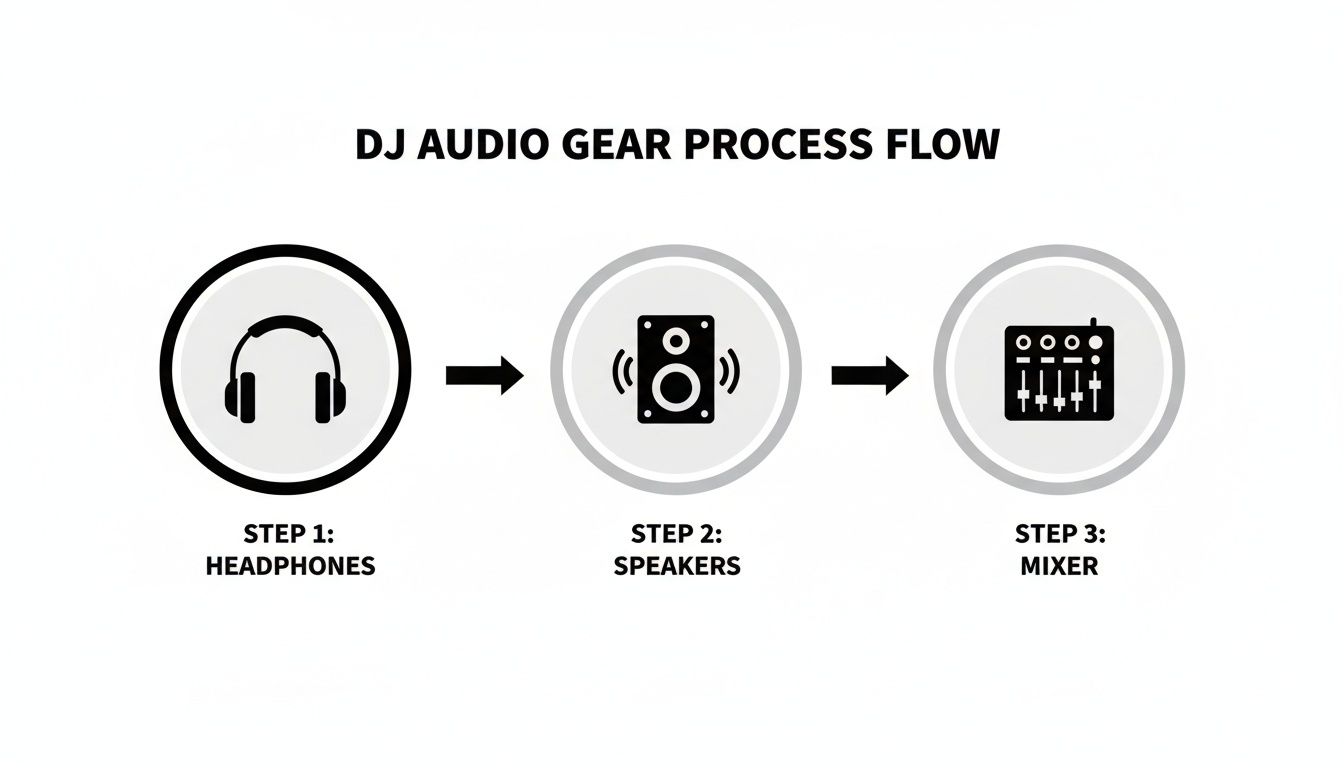
This visualises how your mixer sends one signal to your headphones for cueing and another to the speakers for everyone else to hear.
Turntables and an External Mixer
Decided to go with a more traditional turntable setup? The logic is exactly the same, but there’s one extra step. Instead of a controller, your mixer is now the heart of the operation.
- Connect each turntable to a separate channel on your mixer with RCA cables.
- Plug your speakers directly into the mixer’s Master Out.
- If you’re using a Digital Vinyl System (DVS), connect your mixer to your laptop with a USB cable.
The core idea never changes: your music source (turntables or laptop) feeds into a central mixer. That mixer then sends two signals—one to your headphones for private cueing and another to the speakers for the main mix. Master this flow, and you’ll be able to walk into any DJ booth and understand how it all works.
How to Prepare for Your First DJ Set
So, you’ve got the gear. The boxes are unpacked, and everything’s plugged in. Now the real work—and the real fun—begins. It’s time to learn the craft of actually mixing records, turning a pile of tunes into a seamless journey.
This all starts with a couple of core skills. The most important one is beatmatching. This is the art of manually nudging the speed of two tracks until their beats are perfectly in sync. It’s the absolute foundation of a smooth mix. Get this right, and you’re halfway there.
Next up is phrasing. Music isn’t random; it’s built in blocks, usually in multiples of four beats. Think of verses, choruses, and breakdowns. Learning to bring in your next song at the start of a new phrase is what makes your transitions sound intentional and clean, not clumsy and jarring.
Building Your First Mix
A great way to get a feel for this is with a simple two-track blend. This little exercise will teach you how to use your mixer’s EQ knobs—your bass, mid, and treble controls—to make room for a new song.
- Start Track A: Get your first tune playing out loud through your speakers.
- Cue Up Track B: In your headphones, get your second track beatmatched to Track A. Find the exact spot you want to mix it in from.
- The EQ Swap: This is the magic. As you slowly raise the volume fader for Track B, start turning down the bass on Track A at the same time. This classic trick stops the low-end from turning into a muddy mess and creates a really clean, punchy blend.
- Complete the Transition: Once Track B is playing at full volume, you can slowly fade Track A out completely. And that’s it. You’ve just landed your first proper mix.
Honestly, this single skill—the EQ swap—is something every professional DJ uses constantly. It’s the secret sauce to keeping the energy high without any awkward gaps or clashing sounds.
Music Entertainment And The Energy Of An Event is about more than just playing one song after another. A DJ’s real job is to shape the atmosphere, and mastering the technical skills is just the first step in learning how to control that energy.
Organising Your Music and Controlling the Energy
As your music library grows, keeping it organised is absolutely vital. Get into the habit of creating playlists in your DJ software. Sort them by genre, by mood, or even by energy level—think ‘Warm-Up’, ‘Peak-Time’, and ‘Cool-Down’ crates. This kind of prep work saves you from panicking in front of a crowd and lets you grab the perfect track for any moment. A tidy library is one of the most powerful tools a beginner DJ can have.
Think of yourself as an energy conductor. Your track selection and how you shift the tempo are your tools for guiding the feel of the room. At a wedding, you might start the night with some classy soul and funk, slowly building things up toward disco and house bangers that pull everyone onto the dance floor. A private party, on the other hand, might demand high energy from start to finish.
Learning to read a room is a skill that only comes with practice. So, start small. Try putting together a short, 30-minute set for a few friends. Plan out your first couple of tunes, but stay ready to switch things up based on how they’re reacting. This is your first step from just playing music in your bedroom to becoming a confident performer.
Common Questions About Beginner DJ Gear
Even after you’ve got a handle on the basics, a few questions always pop up. Picking your first bits of DJ gear is a big step, so let’s tackle some of the common worries to get you feeling confident about where you put your money.
Do I Need to Spend a Lot on My First DJ Setup?
Absolutely not. The biggest myth in DJing is that you need to drop a fortune on top-flight gear right from the start. A solid entry-level DJ controller, a decent pair of headphones, and some basic computer speakers are more than enough to get you mixing.
You can find fantastic beginner controllers for under £300 that have all the core features you need to learn the craft properly. The real goal is to find kit that’s well-built and reliable, not something with a million flashy features you won’t touch for months.
This approach helps you sidestep a classic beginner trap: buying ultra-cheap equipment that breaks down or feels awful to use, forcing you to replace it in a year anyway.
Which DJ Software Is Best for a Beginner?
Most beginner controllers come with a starter version of DJ software, usually Serato DJ Lite or Rekordbox. Both are industry standards and fantastic places to begin your journey.
Serato gets a lot of love for its clean, straightforward layout and is a huge favourite among hip-hop and open-format DJs. Rekordbox is made by Pioneer DJ, so it’s built to work perfectly with their club-standard equipment. If your goal is to one day play in clubs, it’s a natural path to follow. The best advice? Just start with the software that comes with your controller.
Can I DJ Using Just My Laptop?
Technically, you can. Most DJ software has a mode that lets you mix using just your keyboard and mouse. But honestly, we’d strongly advise against learning this way.
Without physical knobs to turn, faders to push, and jog wheels to nudge, you miss out on the entire hands-on feel that’s at the heart of DJing. It makes essential skills like beatmatching by ear and pulling off smooth blends incredibly clunky and frustrating. Investing in even a basic controller is the single best way to build real muscle memory and get a true feel for mixing.
At VinylGold, we’ve handpicked a selection of controllers and accessories that are perfect for getting started. Explore our recommendations and find gear that gives you real-world reliability without breaking the bank.