

Your tuner is on the floor. The metronome is somewhere under a cable. There’s a tab book balanced on the amp, and your phone is already doing three unrelated jobs before you even play a note. That’s a familiar state of affairs for most guitarists. With the right apps for guitarists, you can streamline this setup into something more manageable.
The useful shift is this. Your phone or tablet doesn’t have to be a distraction. It can be a tightly organised practice rig, learning library, effects unit, recorder, and rehearsal assistant if you choose the right apps and use them with some discipline.
That matters even more in the UK, where plenty of guitarists don’t fit the standard rock-and-blues template most app roundups assume. If you play in DADGAD, work on ABRSM grade material, or need tools that make sense for quiet pub session practice, generic US-led lists often miss the mark. One guide notes that approximately 336,000 UK guitar learners engage in folk or traditional styles, yet these genres appear in only 2% of top UK App Store app reviews for guitar learning tools, which points to a genuine gap for players who need support for local traditions and session realities. The right apps for guitarists can help bridge this gap.
Your Entire Guitar Rig in Your Pocket
A practice corner used to fill up quickly. Clip-on tuner. Standalone metronome. Small practice amp. Notebook for chord ideas. Printed tabs with coffee stains. Then another pedal or cable appeared, and the “simple setup” stopped being simple.
A decent mobile setup clears a lot of that clutter. One device can handle tuning, timing, tab reading, looping, amp simulation, and rough recording. That doesn’t mean apps replace every bit of hardware. It means they solve a lot of day-to-day guitar problems faster.
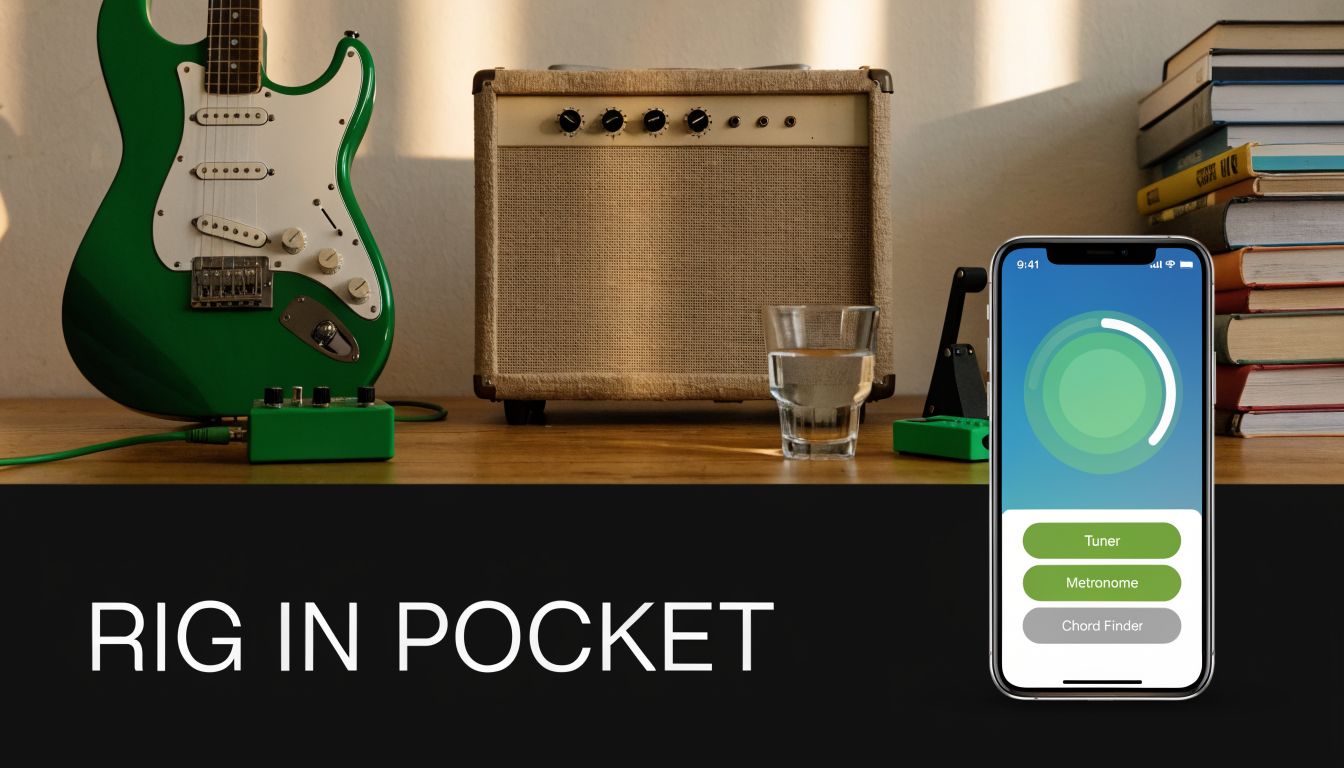
For many players, the primary win isn’t novelty. It’s friction reduction. If a metronome is always available, you’ll use it. If your chord charts are searchable, you’ll stop wasting time digging through folders. If your phone can give you a workable silent rig at night, you’ll practise more often.
Where UK players need something different
A lot of apps for guitarists are built around common-denominator needs. Standard tuning. Rock repertoire. Generic backing tracks. That’s fine until you show up with a folk set, altered tunings, or an exam syllabus.
When you’re exploring the best options, consider how these apps for guitarists can enhance your playing experience and address your unique needs.
UK players often need apps that can support:
- Alternative tunings: Especially DADGAD and other acoustic-friendly setups used in folk and trad contexts.
- Structured repertoire work: Useful if you’re preparing graded pieces or need a cleaner notation-based workflow.
- Silent rehearsal: Essential for late-night flats, shared houses, and pub-session prep where volume isn’t welcome.
UK guitarists don’t need more generic feature lists. They need tools, especially apps for guitarists, that fit how they actually practise, rehearse, and play locally.
The best approach is to build a digital rig by function. Start with the essentials. Add tone tools if you record or practise without sound. Then layer in creative and recording apps that match the kind of guitarist you are.
The Foundational Toolkit Essential App Categories
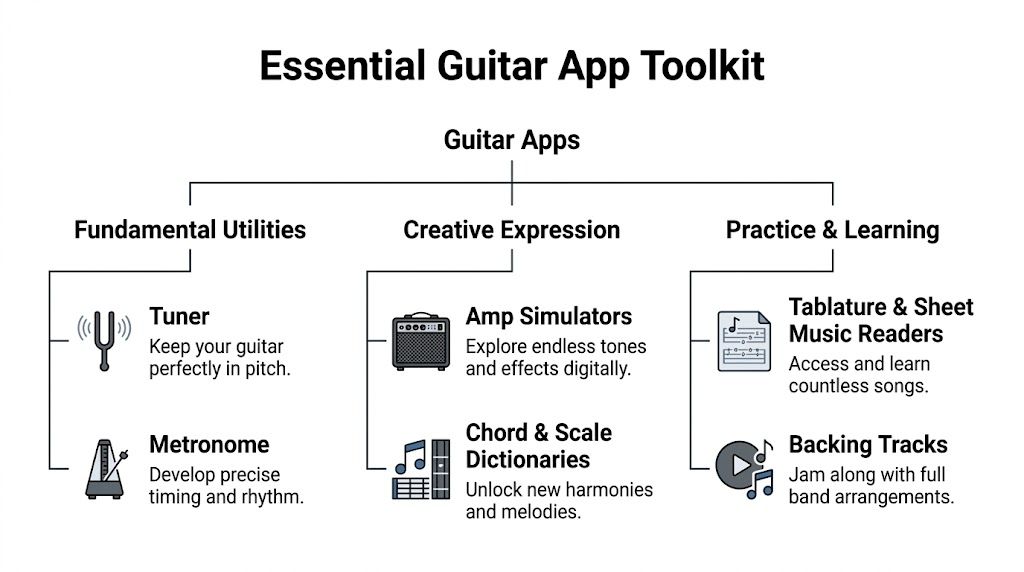
If you install only a handful of apps, make them solve the problems you hit every week. Staying in tune, keeping time, finding songs, and checking harmony matter more than flashy extras.
Tuning and timing
A tuner app is the first thing to sort out. Not all tuner apps are equally useful for guitarists. The throwaway ones usually work for quick standard tuning in a quiet room, but they struggle when the room is noisy or when you need to check intonation more carefully.
What matters in practice:
- Chromatic operation: You want the app to recognise any pitch, not just standard guitar strings.
- Fast response: Laggy needle movement makes tuning slower than it should be.
- Clear visual feedback: In rehearsal, you don’t want to decode a busy screen.
- Support for alternate tunings: This is especially useful for acoustic players working in DADGAD or open tunings.
Metronome apps are just as important, and most guitarists underuse them. A good metronome app doesn’t just click quarter notes. It lets you shape rhythm work properly with subdivisions, accents, and tempo changes.
A useful metronome app should let you:
- Set subdivisions for triplets, semiquavers, and compound feels.
- Accent beats so odd groupings and folk pulse patterns feel musical rather than mechanical.
- Save presets for recurring exercises or set pieces.
- Use silent or haptic cues when audible clicks would get in the way.
That last point matters more in the UK than many guides admit. Session players and acoustic learners often need discreet timing help in environments where a loud click is impractical.
Learning and reference
Tab and notation readers save hours. They also remove one of the classic bottlenecks in learning guitar, which is the gap between wanting to play a song and having a usable chart in front of you.
Ultimate Guitar is the obvious example of how far this category has come. It began as a tab website in the late 1990s and evolved into a mobile platform described as the world’s largest tab database, showing how apps have helped democratise guitar learning for a whole generation (history of guitar apps and Ultimate Guitar).
That evolution matters because modern tab apps now do more than display text. Depending on the app, you may get synced playback, transposition, saved libraries, chord diagrams, and lesson content. For a working guitarist, that turns a reference tool into a rehearsal tool.
The apps worth keeping close
Some categories aren’t glamorous, but they earn their place every day.
| App category | What problem it solves | What to look for |
|---|---|---|
| Tuner | Gets you in pitch quickly | Chromatic accuracy, alternate tunings, clean display |
| Metronome | Fixes weak timing and rushed changes | Subdivisions, accents, set saving, quiet cue options |
| Tab or notation reader | Speeds up song learning | Search, offline access, reliable formatting |
| Chord and scale dictionary | Helps with voicings and fretboard options | Multiple positions, interval clarity, tuning flexibility |
Practical rule: if an app saves you time every single week, keep it. If it only looks impressive on the download page, delete it.
Chord and scale libraries are often underestimated. Used badly, they become a list of shapes you never absorb. Used properly, they’re quick reference tools for finding a better voicing, checking a modal shape, or making sense of a progression before rehearsal.
For ABRSM-style preparation or any notation-heavy work, a cleaner sheet music reader can be more helpful than a tab-first app. The best choice depends on whether your immediate problem is learning songs by shape or reading music accurately.
Shaping Your Sound With Digital Amps and Effects
Amp sim apps used to feel like emergency tools. Now they’re good enough to be part of a serious practice or recording setup, especially if your goal is quiet playing without giving up a satisfying tone.
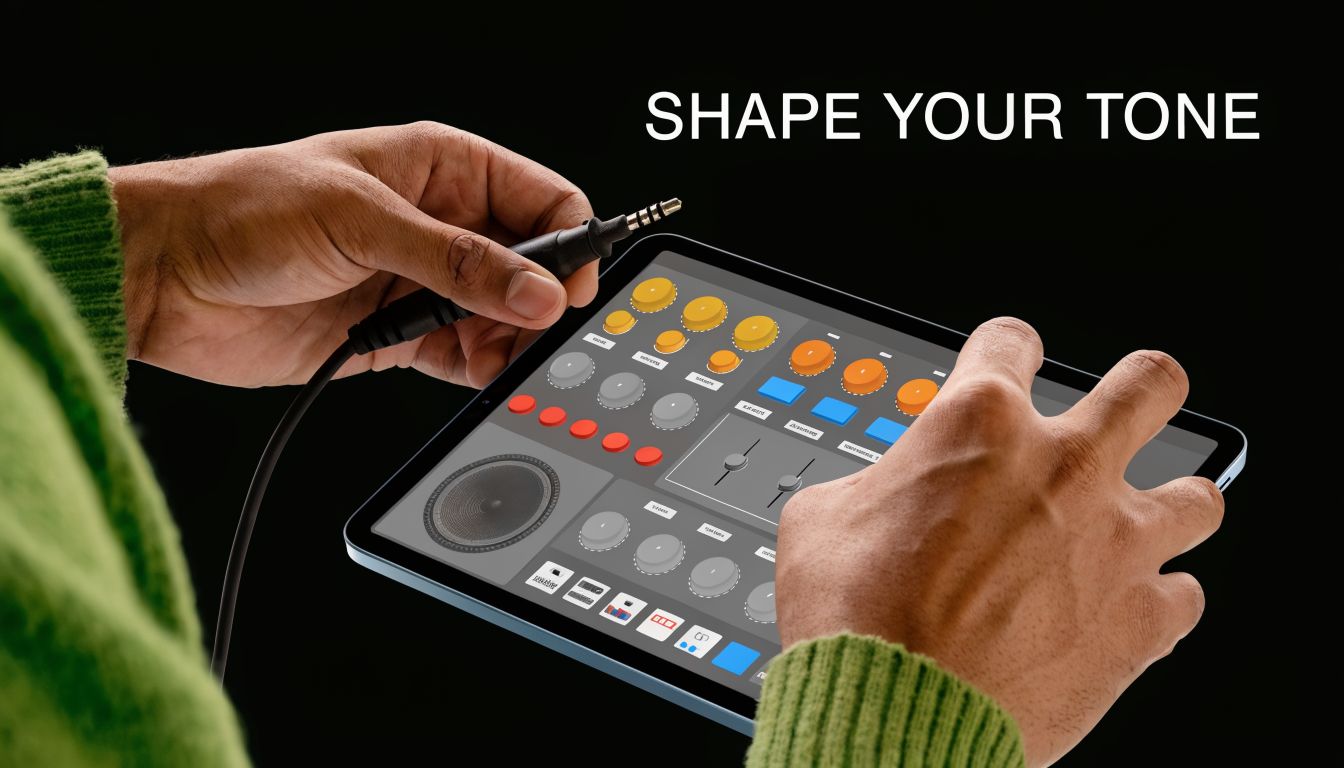
Think of an amp sim as a digital kitchen. The amp model is the main ingredient. The speaker cabinet shapes the final flavour. Effects are the seasoning. If one part is badly chosen, the whole sound suffers, even if the rest of the chain looks impressive.
What the signal chain is really doing
Most amp sim apps follow a familiar order:
- Input stage: Your guitar signal enters through the device or, better, an audio interface.
- Amp model: This recreates the behaviour of a clean combo, crunchy stack, or high-gain head.
- Cabinet section: This shapes the speaker response. Many apps do this with built-in cabs or IR loading.
- Effects chain: Reverb, delay, modulation, overdrive, compression, and utility tools.
A lot of guitarists obsess over amp models and ignore the cabinet section. That’s a mistake. Cabinet simulation is often the difference between “surprisingly convincing” and “harsh digital fizz”. If an app lets you adjust cab choice or use IRs, spend time there.
Latency is the deal-breaker
The biggest practical issue with apps for guitarists in this category isn’t tone. It’s latency. If there’s too much delay between picking a note and hearing it back, the app stops feeling playable.
That’s why a dedicated audio interface matters. Plugging straight into a phone with an awkward adapter might work in a pinch, but it’s rarely the best experience. A proper interface usually gives you cleaner input, more consistent gain, and lower latency.
What amp sims do well:
- Silent headphone practice: Great for flats, late evenings, and family homes.
- Quick recording: Easy way to capture a polished guitar sound without miking an amp.
- Portable rig building: Handy for travel, rehearsal, and lightweight setups.
What they don’t do well on their own:
- Hide poor playing: A polished preset won’t fix weak timing or noisy muting.
- Replace feel automatically: Some apps sound good but still need tweaking to respond naturally.
- Guarantee stage readiness: Live use is possible, but reliability matters more than feature count.
A good walkthrough helps if you’re new to this side of the setup:
If you’re only using amp sims through phone speakers, you’re judging the app unfairly. Use headphones or proper monitors, otherwise you’re hearing the wrong part of the chain.
For silent pub session preparation, this category is especially useful. You can work on tone, articulation, and transitions without taking over the room. That’s one place where mobile tools fit UK playing life better than many broad guitar guides admit.
Unlocking Creativity With Practice Partner Apps
Some apps make your rig smaller. Others make your playing better. The second group matters more in the long run.
Backing tracks, loopers, and skill builders all push you out of the trap of repeating exercises without musical context. On their own, each one is useful. Combined, they turn practice into something closer to actual playing.
Backing tracks turn drills into music
A scale run over silence tells you very little about phrasing. The same scale over a groove tells you immediately whether your note choice, timing, and dynamics work.
Backing track apps are valuable because they force you to deal with:
- Time feel: You hear whether you’re sitting on top of the beat or dragging.
- Phrasing: Long notes, space, and resolution start to matter.
- Style awareness: Folk, blues, pop, jazz, and modal playing ask different questions of your hands.
For UK folk and trad players, generic rock backing tracks often miss the point. If your real-world playing involves modal movement, drones, or tune-based accompaniment, you need tracks or progressions that support that language. A polished hard-rock jam track won’t help much if you’re trying to work on accompaniment that feels natural in DADGAD.
Loopers expose your timing
Looper apps are brutally honest. If your first pass is shaky, every overdub will magnify the problem. That’s why they’re so good for rhythm development and songwriting.
Try a simple workflow:
- Record a two- or four-bar chord pattern.
- Listen back before overdubbing anything.
- Add a lead line or counter-rhythm.
- Strip it back if the foundation isn’t tight.
That process teaches restraint. Many guitarists add too much too early. A looper quickly reveals whether the original groove can stand on its own.
Skill builders make practice measurable
This category has become much more advanced. The strongest example is the Gibson App, which can track approximately 270 discrete guitar skills in real time, breaking playing into measurable elements such as chords, rhythm patterns, phrases, and finger positioning (Gibson skill tracking system).
That matters because one of the hardest parts of self-teaching is knowing what’s improving. “I think I’m getting better” isn’t a very useful practice metric. A system that breaks your playing into smaller, observable pieces gives you a clearer target.
Why these apps work better together
Used in sequence, these tools cover different weaknesses:
| Tool type | Main benefit | Best use |
|---|---|---|
| Backing track app | Musical context | Improvisation, groove, style awareness |
| Looper app | Timing honesty | Rhythm work, arrangements, songwriting |
| Skill builder app | Targeted feedback | Deliberate practice, habit correction |
The fastest way to make practice musical is simple. Learn the idea, loop the harmony, then play over it until it sounds like music rather than an exercise.
For ABRSM preparation, the same principle applies. Technical work becomes far more useful when it feeds repertoire, reading, and phrasing. For trad players, these apps are most helpful when they support listening, pulse, and modal awareness, not just speed and dexterity.
Capturing Your Ideas With Recording and Production Apps
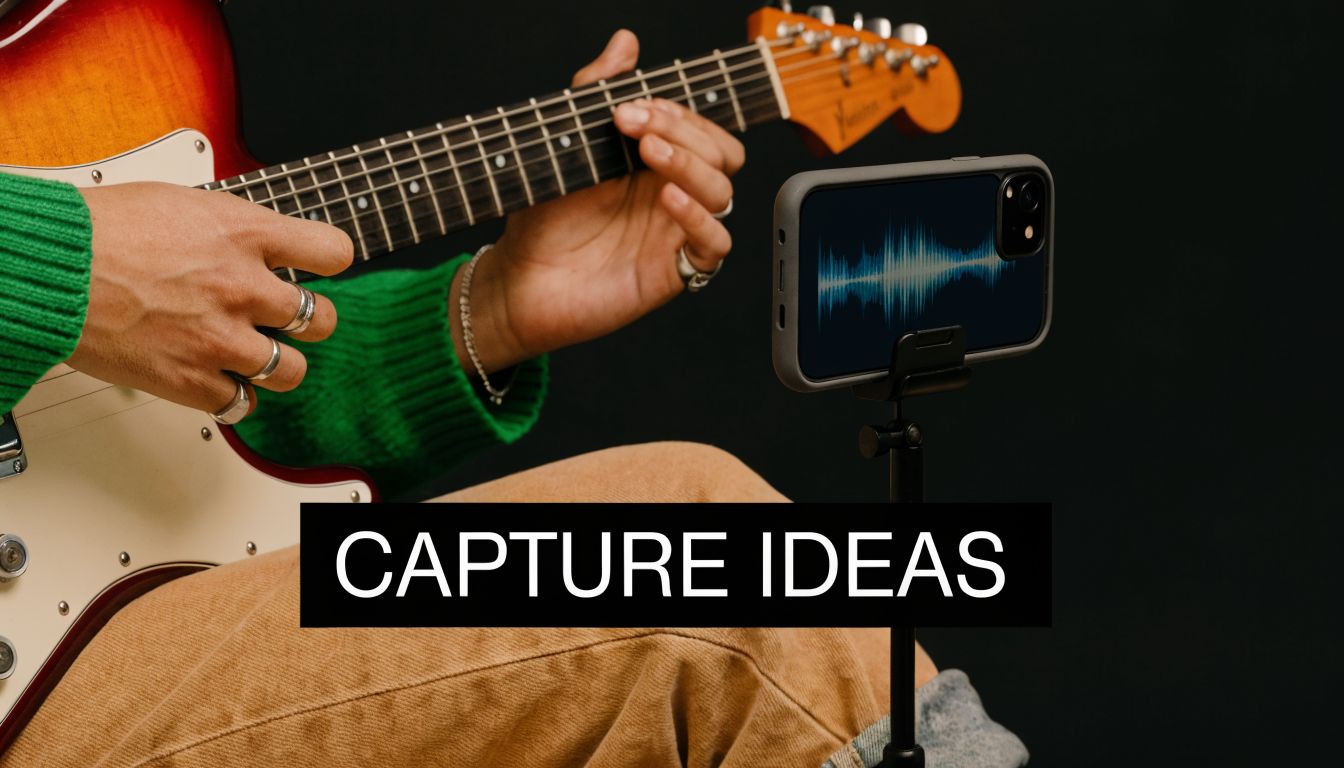
Most guitar ideas arrive at inconvenient moments. You’re half-practising, trying a chord substitution, or stumbling into a riff that sounds better than anything you meant to play. If you don’t capture it quickly, it’s usually gone.
That’s where recording apps earn their keep. The trick is knowing whether you need a sketchpad or a mobile DAW.
Sketchpads for speed
An audio sketchpad is the musical equivalent of a notebook. Open app, hit record, catch the idea, move on. No routing, no mix decisions, no endless menu diving.
This kind of app is ideal for:
- Capturing riffs before they disappear
- Singing melody ideas over chord changes
- Logging rehearsal fragments for later review
The best sketchpads are boring in a good way. They launch quickly and don’t interrupt the moment.
Mobile DAWs for building songs
A mobile DAW is different. It’s for turning the rough idea into a structured piece. Multi-track recording is easiest to understand as layering paint on a canvas. One layer is the rhythm guitar. Another is a lead part. Then bass, percussion, harmony parts, or textures sit on top.
A practical songwriting flow often looks like this:
- Capture the seed in a simple recorder.
- Import or recreate it in the DAW.
- Layer rhythm parts until the structure feels clear.
- Add non-guitar elements like drums or bass.
- Rough mix the balance so you can judge the idea properly.
Many guitarists experience significant growth through recording. Recording exposes weak arrangement choices. Parts that felt impressive when played solo often clash once they’re layered.
When to move beyond mobile
A phone or tablet is enough for idea capture and even complete demos, but there’s a point where desktop tools become easier. If you’re heading in that direction, this guide to best music production software for beginners is a useful next step because it helps bridge the gap between casual mobile recording and a more serious production workflow.
Record first, organise later. The cleanest folder structure in the world won’t help if the riff disappeared while you were naming the session.
For many guitarists, the sweet spot is simple. Use mobile for immediacy. Use a larger system when the song proves it deserves more time.
Putting It All Together Practical App Workflows
Individual apps matter less than the workflow they support. A good digital setup should reduce decision-making, not add more of it. The easiest way to judge apps for guitarists is to see how they behave in a normal week.
Daily practice routine
You sit down for half an hour after work. The best sequence is usually the least glamorous one.
Start with a tuner app and get the instrument settled properly. Then open your metronome and do a few minutes of timing-focused work. That might be chord changes, scale sequences, or a difficult passage from a tune you keep fluffing.
After that, move into a skill builder or ear-focused app for concentrated practice. Finish with a backing track so the session ends musically rather than mechanically.
That order works because each stage feeds the next:
- Tune first: No point reinforcing bad pitch habits.
- Lock in timing early: Your hands are fresh.
- Target a weakness: Don’t let the whole session drift.
- Apply it musically: Here, the work starts sounding useful.
Songwriting session
This workflow feels different from practice because speed matters more than precision at the start. A new idea doesn’t need a polished tone or perfect click. It needs to be caught.
Use a sketchpad app the moment the riff arrives. Then move to a looper if you want to test whether the progression can repeat without getting dull. If it survives that, take it into a mobile DAW and add structure.
A common sequence is:
- Voice memo or quick recorder for the raw idea.
- Looper for groove and repeatability.
- DAW for sections, overdubs, and arrangement choices.
This helps you avoid building a full session around an idea that only sounded good once.
Live or rehearsal setup
A lean app-based live rig can work well when it’s built for reliability rather than novelty. For acoustic pub work, duo gigs, or compact rehearsals, the useful chain is usually straightforward.
Keep your charts or setlist in one app. Run your guitar through an amp sim if you need quiet stage volume or direct sound. Use a backing track player only where it adds genuine support, not as a crutch.
The best live workflow is the one you can recover quickly when something goes wrong.
If you’re playing folk material, session music, or mixed acoustic sets, this matters even more. You don’t want to spend the evening poking at a screen while everyone else is already on the next tune.
How to Choose The Right Apps For You
The best apps for guitarists aren’t the ones with the longest feature list. They’re the ones you’ll still be using after the novelty wears off.
Four filters that actually help
- Platform and latency: Some apps are excellent on one platform and awkward on another. If you plan to use amp sims or real-time effects, test responsiveness before committing.
- Cost model: Free can be enough for tuning, basic timing, and rough note capture. Subscriptions only make sense if the app solves a recurring problem in your playing life.
- Interface quality: A cluttered app slows practice. If you need three menus to start a metronome, it’s the wrong metronome.
- Your actual goal: A beginner needs clarity and repetition. A gigging player needs reliability. An ABRSM learner may need stronger notation support than a tabs-first app can offer.
Short trials tell you more than feature pages. Download fewer apps, test them in real sessions, and keep only the ones that remove friction.
A small, well-chosen toolkit beats an overloaded phone every time.
Frequently Asked Questions About Guitarist Apps
Can apps replace a real amp
Sometimes, yes. For silent practice, direct recording, and portable rehearsal, amp sims can be more practical than a physical amp. For pure feel and simplicity, many players still prefer hardware. The right answer depends on where you play and whether convenience or tactile response matters more to you.
Do I need an audio interface
If you only want a tuner, tab reader, metronome, or basic recorder, no. If you want to use amp sims seriously, record guitar cleanly, or reduce latency, an audio interface is usually worth it. It tends to make the whole setup sound and feel more stable.
Are free apps good enough to start with
Yes, if you’re selective. A free tuner, metronome, simple recorder, and song reference app can cover a lot of ground. The trap is hoarding dozens of free apps and learning none of them properly. Start lean, then pay only when an app solves a problem you keep running into.
If music matters at your events as much as it matters in your practice room, VinylGold is worth a look. They bring the same kind of thoughtful curation musicians appreciate, with custom DJ sets for weddings, parties, and corporate events across London, South East London, and Kent, plus carefully chosen DJ gear for people who care about sound, reliability, and atmosphere.