
Starting your DJ journey is an exciting moment, but let’s be honest, picking the right gear can feel like a minefield. If you want our top pick for the best all-around beginner controller, it’s the Pioneer DJ DDJ-FLX4. It gives you a club-standard layout, features that won’t overwhelm you, and works with both Rekordbox and Serato right out of the box. This guide is here to help you cut through the noise and find the best dj controller for beginners to get your passion started.
Your First Step Into DJing: Choosing a Controller
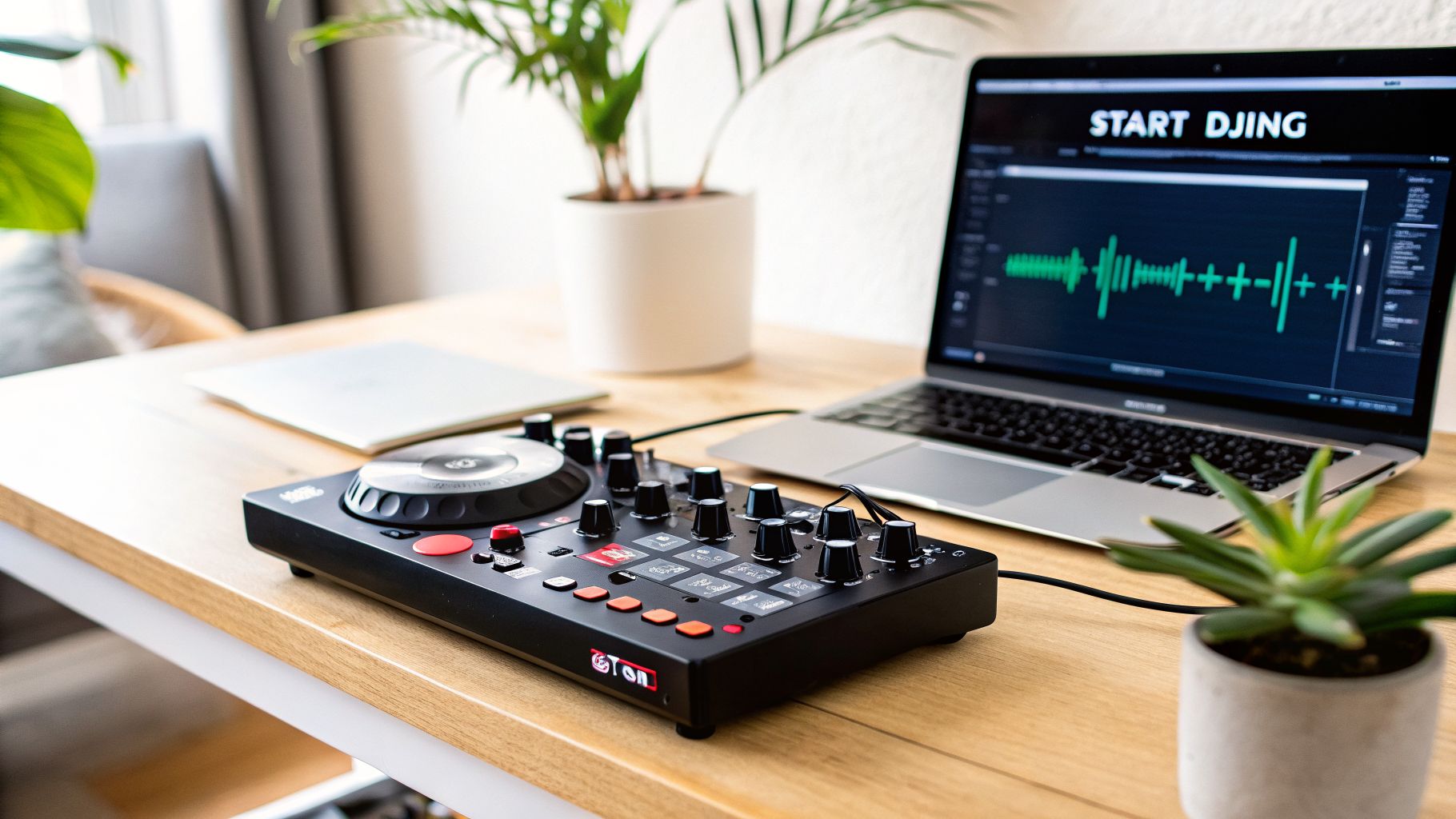
Choosing your first DJ controller is probably the single most important decision you’ll make when you’re just starting out. Think of this piece of kit as your instrument. It’s the tool you’ll use to learn the fundamentals of mixing, beatmatching, and how to read a crowd. The right one makes learning feel natural and fun; the wrong one will just lead to frustration.
The market is flooded with options, but you can narrow things down by focusing on just four key things. These factors will help you frame your thinking and filter out the gear that isn’t right for you.
Key Decision Factors for Your First Controller
This isn’t just about a list of features. It’s about understanding what those features mean for your learning curve and where you want to go as a DJ. A controller that mimics the layout of professional club gear will make it much easier to step up to bigger setups later on. Good software integration means you can get mixing smoothly from day one.
It’s a great time to be getting into DJing here in the UK. The DJ controller market has seen impressive growth, valued at USD 18.75 million in 2024 and projected to hit USD 34.79 million by 2033. For new DJs in London, Kent, and beyond, this boom means more competition, better gear at lower prices, and more choice than ever before.
Before we dive into specific models, this table breaks down the four most important things to think about.
Beginner DJ Controller Decision Matrix
Here’s a quick summary of the four most important factors to consider when choosing your first DJ controller.
| Decision Factor | What It Means for a Beginner | VinylGold’s Quick Tip |
|---|---|---|
| Budget | Your budget sets the ceiling for build quality, features, and the brands you can look at. More expensive doesn’t always mean better for learning. | Set a realistic budget between £250-£450. This sweet spot gets you excellent features without being too complex for a newcomer. |
| Software | This is the “brain” of your DJ setup. Your controller is designed to work with specific software like Rekordbox or Serato. | Think about your long-term goals. Rekordbox is the industry standard in clubs, so it’s a very safe bet for the future. |
| Key Features | We’re talking about the jog wheels, performance pads, and mixer section. These are the tools you’ll physically use to learn how to mix. | Look for responsive jog wheels and a clean mixer layout that has dedicated filter knobs. You’ll be using these constantly. |
| Longevity | This is about how long the controller will meet your needs as you get better. You want something you can grow into, not out of. | Pick a controller that has both basic and a few intermediate features. This will stop you from needing an upgrade in the first year. |
Getting a feel for these factors will put you in a great position to choose a controller that feels right.
While a controller is the modern starting point for most, many DJs eventually get the itch to try other gear. If you’re curious about the roots of DJ culture, you might find our guide on the best turntables for DJs an interesting read.
Decoding the Decks: Essential Controller Features
Think of a DJ controller as a game pad, but for your music. It’s the physical, hands-on link to the software on your laptop, giving you a real connection to your tracks. To find the best dj controller for beginners, you need to know what all those buttons, faders, and platters actually do. Getting this right from the start means you’ll build solid habits from your very first mix.
A controller breaks down into three core zones: the decks, the mixer, and the performance controls. Each part has a specific job in how you shape and blend your sound. Let’s break down what you should look for in each one.
The Jog Wheels: Your Connection to the Music
The jog wheels are those big, circular platters that dominate each side of the controller. They’re your main tool for physically handling a track. You’ll use them to nudge a song forward or back to lock it in time with another—the fundamental art of beatmatching. They’re also what you use to scratch and to quickly scan through a track to find your cue point.
For any beginner, the feel and responsiveness of the jog wheels are far more important than their size. You want a platter that reacts instantly to your touch, with just the right amount of resistance. That tactile feedback is what helps you build the muscle memory needed for manual beatmatching, a skill every DJ needs to master.
Key Insight: Don’t get distracted by marketing that focuses on large, motorised jog wheels for your first controller. A smaller, high-quality capacitive jog wheel (like those on the DDJ-FLX4) gives you the precise control needed to learn the craft without the extra cost and complexity.
The Performance Pads: Where Creativity Begins
Just below the jog wheels, you’ll find a grid of rubbery pads. These are your performance pads, and they’re where a ton of creative potential is unlocked. Even a basic controller for beginners will offer multiple functions for these pads, which you can usually switch between with a button.
Some of the most common modes you’ll use are:
- Hot Cues: These let you set markers at key points in a song—the first beat, a big vocal, or right before a drop—and jump to them instantly. They are absolutely vital for structuring your mixes.
- Sampler: You can load short sounds, vocal clips, or drum patterns onto these pads and trigger them over your mix. It’s an easy way to add your own flair and energy.
- Pad FX: This mode lets you apply effects like an echo or reverb just by holding a pad down. It’s a much more expressive and immediate way to play with effects.
As a new DJ, having at least four pads per deck with access to hot cues and a sampler is a brilliant starting point. It’s enough to get you experimenting without feeling overwhelmed by options.
The Mixer Section: The Heart of Your Sound
The mixer is the central hub of your controller, sitting right between the two decks. Its layout is designed to mirror the standalone DJ mixers you’d find in any club booth. Learning this section is crucial, because it’s where you’ll actually blend two tracks into one.
A good beginner mixer layout should be clean and make sense at a glance. You’ll want to look for these key controls on each channel:
- Trim/Gain Knob: This sets the track’s initial volume before it even reaches the faders. You use it to make sure both songs are playing at a similar level.
- 3-Band EQ: These knobs control the bass, mids, and treble. Learning how to use EQs is the real secret to creating smooth, seamless transitions.
- Filter Knob: A dedicated knob for a high-pass/low-pass filter is one of the most powerful tools for a beginner. It lets you cleanly sweep frequencies out of one track to make room for the next.
A well-organised mixer with those dedicated filter knobs will seriously speed up your learning curve. It makes the connection between your hands and the sound more intuitive, helping you learn to mix with your ears, not just by staring at the screen.
Choosing Your Software: The Brains Behind the Mix
Think of your controller as the hands of your DJ setup; the software is the brain. This is the program running on your laptop that keeps your music library organised, analyses your tracks for you, and drives all the cool creative features you’ll be using. Picking a software platform is just as big a deal as choosing your hardware because it shapes your entire workflow and sets the stage for your growth as a DJ.
For anyone just starting out and looking for the best dj controller for beginners, the choice almost always comes down to three giants: Serato, Rekordbox, and Traktor. Each one has its own vibe and its own strengths. Your decision really depends on the music you love, the kind of DJ you want to become, and how much you’re looking to spend.
Serato DJ: Simplicity and Open-Format Power
Serato has a well-earned reputation for being simple and just working straight out of the box. A lot of DJs find its layout feels natural from the very first mix, which makes it a fantastic starting point. The free version, Serato DJ Lite, is bundled with a massive range of controllers from brands like Pioneer DJ, Numark, and Reloop, so you’ve got plenty of hardware to choose from.
Its real magic is in open-format DJing—the art of mixing different genres, tempos, and styles. If you see yourself as a mobile or party DJ, you need software that’s fast, reliable, and lets you think on your feet. Serato is built for that.
The Bottom Line: Serato’s biggest draw is its huge hardware compatibility and dead-simple workflow. If you want the most choice in controllers and software that just gets out of your way so you can mix, Serato is a brilliant pick.
Rekordbox: The Gateway to the Club
Pioneer DJ’s Rekordbox software is your direct ticket into the professional club scene. Nearly every DJ booth on the planet runs on Pioneer DJ CDJs, so the skills and library you build at home on Rekordbox translate perfectly to a pro setup. All your prepared tracks, cue points, and playlists transfer over on a simple USB stick.
While Rekordbox used to be tied exclusively to Pioneer DJ gear, newer controllers like the DDJ-FLX4 now work with both Rekordbox and Serato. This gives you the best of both worlds, letting you learn the club-standard software without feeling locked in. Music preparation is central to Rekordbox, and it teaches you great organisational habits from day one. Making sure your files are top-notch is vital here; our guide comparing FLAC versus WAV can get you up to speed.
This focus on club standards makes it the no-brainer choice for anyone aiming to play in bars, clubs, or at festivals. The workflow instills a level of organisation that will serve you well for your entire DJ career.
Traktor: The Choice for Creative Expression
Traktor, from Native Instruments, has long been the darling of electronic music DJs, especially in genres like techno and house. Its reputation is built on its incredible-sounding effects, super-flexible looping tools, and features that encourage you to get creative and layer your mixes.
It definitely has a steeper learning curve than Serato, but the potential for customisation is off the charts. Traktor is for the DJ who treats mixing like a performance, someone who wants to use loops, samples, and multiple effects to build a completely unique sound on the fly. Its Remix Decks and Stem Decks (in the Pro version) let you pull tracks apart and rebuild them in real-time, which is a massive draw for more technical performers.
To help you land on the right one, think about it like this:
- Go for Serato if: You want to be an open-format DJ, spin a wide mix of music at parties, and have the biggest selection of controllers to choose from.
- Go for Rekordbox if: Your main goal is playing in clubs and you want to master the undisputed industry-standard software.
- Go for Traktor if: You’re all about electronic music, love getting creative with effects and loops, and enjoy building a signature sound during your sets.
Comparing the Top Beginner DJ Controllers of 2026
Alright, we’ve talked about the theory—the features, the software, the lingo. Now it’s time to get our hands dirty. This is where we take that knowledge and apply it to the top beginner controllers of 2026, looking at how they actually feel and perform when you’re in the mix.
We’re zoning in on three main contenders: the Pioneer DJ DDJ-FLX4, the Hercules DJControl Inpulse 500, and the Native Instruments Traktor Kontrol S2 MK3. Each one offers a different path into DJing. The right one for you comes down to your personal goals and what kind of music gets you excited.
The Head-to-Head Breakdown
Let’s dig into what really separates these bits of kit. We’re moving past the marketing points and looking at how they function in the real world. Is the layout actually intuitive when you’re trying to learn? Can it stand up to hours of practice? And which one gives you the most room to get creative?
To make sense of it all, we’ll break them down by what matters most when you’re starting out: how they work with software, how they physically feel, what unique creative tools they offer, and the overall value you’re getting. This isn’t just a list of specs; it’s about the subtle differences that will shape your entire first year as a DJ.
Key Takeaway: The best controller isn’t the one with the most buttons. It’s the one with the right buttons that help you grow. A club-style layout is great for one person, but built-in mixing guides might be a game-changer for another.
Pioneer DJ DDJ-FLX4
There’s a reason the DDJ-FLX4 has become the go-to for so many beginners. Its biggest strength is a layout that mirrors Pioneer DJ’s professional club gear. Every single skill you pick up here—from setting cue points to using the EQs—will feel familiar when you step into a proper DJ booth.
It’s also incredibly flexible, designed to work smoothly with both Rekordbox and Serato DJ. This is a massive plus. It lets you try out both leading platforms to see which one clicks for you, without being locked into a single ecosystem.
The build is plastic, sure, but it feels solid enough for home practice and small parties. Its real magic for newcomers lies in the Smart Fader and Smart CFX features. These are brilliant training wheels. Smart Fader automatically handles tempo and bass adjustments as you mix, while Smart CFX applies cool-sounding effects with one knob. Pro DJs might scoff, but these tools are fantastic for building confidence and hearing what a smooth transition is supposed to sound like.
Hercules DJControl Inpulse 500
The Hercules DJControl Inpulse 500 takes a different road. It’s designed not just to let you mix, but to actively teach you how. The killer feature here is the Beatmatch Guide, a series of small LEDs that light up to show you which way to nudge the jog wheel to lock your tracks in time.
This gives you instant visual feedback, which can seriously speed up the process of learning to beatmatch by ear. It feels more substantial than its rivals, too, with a metal top plate and clever retractable feet that raise it to the height of a standard mixer. It even has an auxiliary input with its own filter knob, letting you mix in audio from your phone—a feature you rarely find at this price.
Made primarily for Serato DJ and Hercules’ own DJUCED software, it’s a solid, feature-packed controller that wants to help you nail the fundamentals. If you’re feeling a bit overwhelmed by the learning curve, this controller is like having a patient mentor by your side.
Native Instruments Traktor Kontrol S2 MK3
The Traktor Kontrol S2 MK3 is built for the aspiring DJ who loves electronic music and wants to get creative from the jump. It’s designed exclusively for the Traktor Pro 3 ecosystem, which has a reputation for its powerful effects and looping tools.
The controller reflects this focus. You get large, satisfying jog wheels and dedicated Mixer FX knobs for each channel. These let you trigger big filter sweeps and delays with a single touch, encouraging a much more expressive and performance-led mixing style.
It doesn’t have the software flexibility of the FLX4 or the built-in guides of the Inpulse 500. Instead, it doubles down on sound and creativity. The build is solid, and because it comes with the full version of Traktor Pro 3, you have a massive runway for growth. It’s the perfect choice if you’re into techno or house and want to start experimenting with effects and layering right away. This one is less about copying a club setup and more about finding your own unique sound.
2026 Beginner DJ Controller Head-to-Head Comparison
To help you see it all at a glance, this table breaks down the key differences between our top contenders. Think of it as a cheat sheet for finding the controller that truly matches your DJing ambitions.
| Model | Best For | Core Software | Build Quality | Key Feature | Price Tier |
|---|---|---|---|---|---|
| Pioneer DJ DDJ-FLX4 | Aspiring Club DJs | Rekordbox & Serato DJ | Good (Plastic) | Smart Fader & Dual Software Compatibility | ££ |
| Hercules DJControl Inpulse 500 | Guided Learning & Skill Building | Serato DJ & DJUCED | Very Good (Metal Top) | Beatmatch Guide & Aux Input | ££ |
| Native Instruments Traktor Kontrol S2 MK3 | Creative & Electronic Music DJs | Traktor Pro 3 | Good (Plastic) | Mixer FX & Tight Software Integration | £££ |
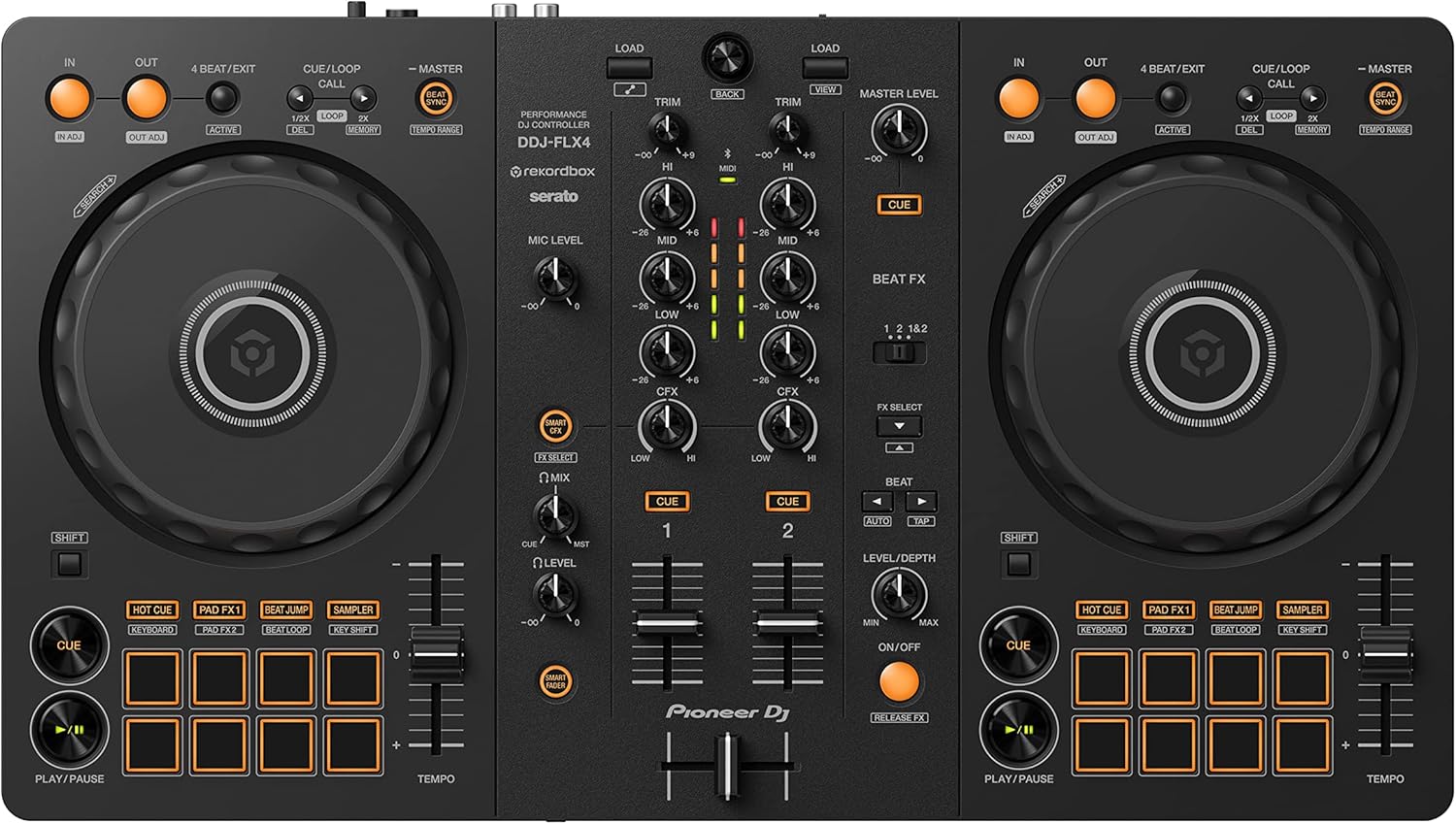



Ultimately, the choice comes down to what you want to achieve. If playing in clubs is your dream, the DDJ-FLX4 gives you the most direct path. If you want a controller that holds your hand and builds your fundamental skills, the Inpulse 500 is an incredible teacher. And if you’re driven by creative expression in electronic music, the Traktor Kontrol S2 MK3 is the perfect launchpad.
VinylGold’s Top Picks for Every New DJ
Choosing the best DJ controller for beginners isn’t about finding one “perfect” piece of gear. It’s about finding the right tool for you—your goals, your music, and your budget. We’ve put the top entry-level models head-to-head to give you our definitive recommendations, categorised to help you find a controller that doesn’t just get you started, but gets you inspired.
Every new DJ has a different endgame. Maybe you’re aiming for the club circuit, want to get creative at house parties, or just need a solid, no-nonsense controller that won’t break the bank. We’ve broken down our picks based on those exact scenarios.
To make it even clearer, this flowchart maps out the decision-making process. It all comes down to what you want to achieve in the long run.
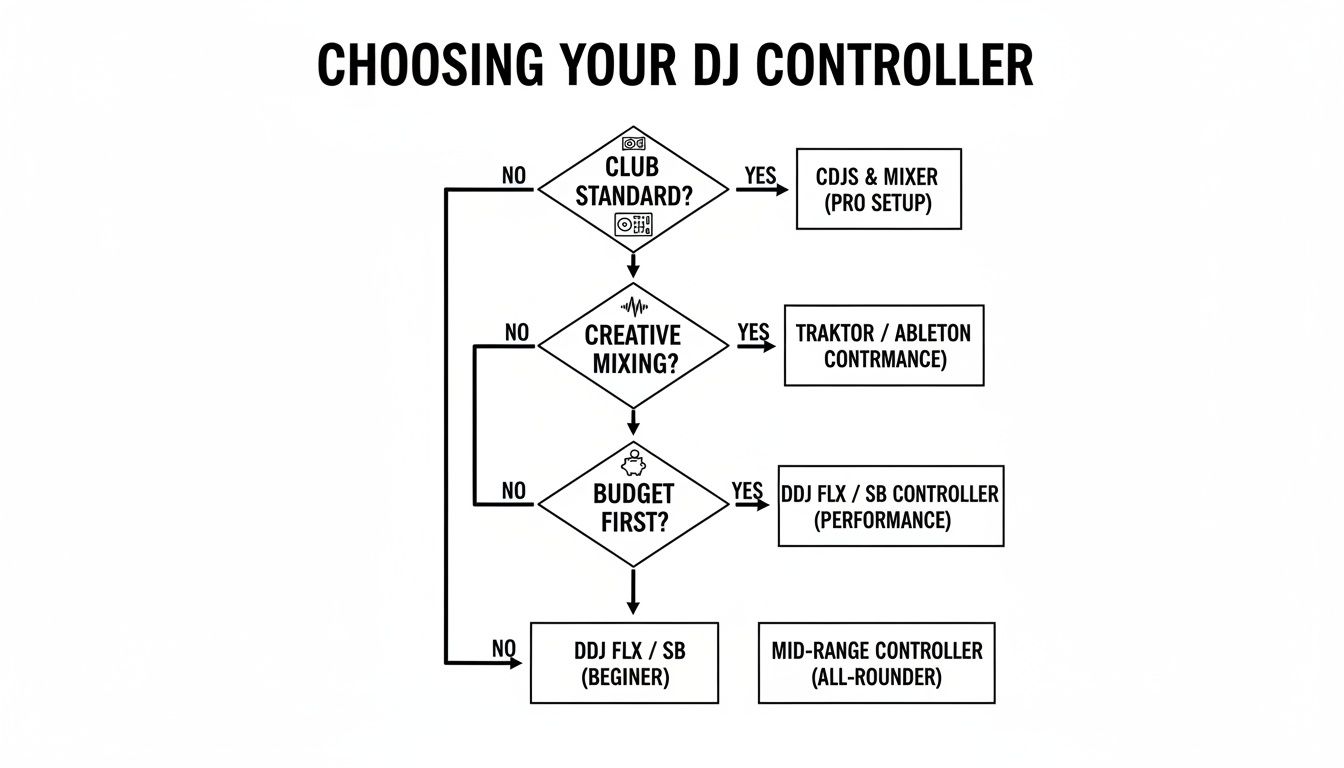
Think about your main goal. Do you want to learn the club standard workflow, get wild with creative effects, or just get mixing on a budget? Let your ambition guide your choice.
The Best All-Rounder: Pioneer DJ DDJ-FLX4
If you’re just starting out and want a controller that gives you a reliable start without locking you into one path, the Pioneer DJ DDJ-FLX4 is our top pick. It nails the balance between beginner-friendly features and a pro-style layout, making it a smart investment that grows with you.
Its biggest advantage is its dual software support. Being able to use both Rekordbox and Serato is a massive plus. You get to learn on Rekordbox—the industry standard in clubs—while still having the option to explore Serato’s open-format world.
Real-World Scenario: You’ve just started mixing and score a gig at a mate’s birthday party. The FLX4’s Smart Fader feature helps you pull off smooth blends and builds your confidence. Six months down the line, a local bar that uses CDJs gives you a shot. Because you learned on Rekordbox, your music library and skills translate over without a hitch.
The Best for Future Club DJs: Hercules DJControl Inpulse 500
If your dream is to one day play in clubs and you want gear that actively teaches you the ropes, the Hercules DJControl Inpulse 500 is a brilliant choice. It’s built from the ground up to help you learn faster.
Its Beatmatch Guide is a game-changer, giving you visual cues to help train your ears to hear when two tracks are locked in perfectly. This feature alone can cut down the time it takes to master manual beatmatching—an absolutely essential skill for any serious DJ.
The Inpulse 500 also feels more like a proper piece of kit than many of its rivals. It has a metal top plate and retractable feet that lift it to the same height as professional mixers, getting you used to the feel of a real club setup. It feels less like a toy and more like an instrument.
The Best Budget-Friendly Powerhouse: Numark Mixtrack Platinum FX
The Numark Mixtrack Platinum FX proves you don’t need a massive budget to get your hands on powerful features. It packs an incredible amount of value, offering tools you’d normally find on much pricier controllers, making it a fun and capable starting point.
The standout features are its large, 6-inch jog wheels. Each one has a hi-res display right in the centre showing BPM, platter position, and time remaining. This is huge for keeping your eyes off the laptop and focused on your mix, building good habits from day one.
It also comes with dedicated paddle triggers for firing off Serato’s software effects, something usually reserved for high-end battle mixers. This makes experimenting with effects feel natural and immediate. If you want the most creative bang for your buck, the Mixtrack Platinum FX is an unbeatable option that never feels like a compromise.
From Setup to Your First Seamless Mix
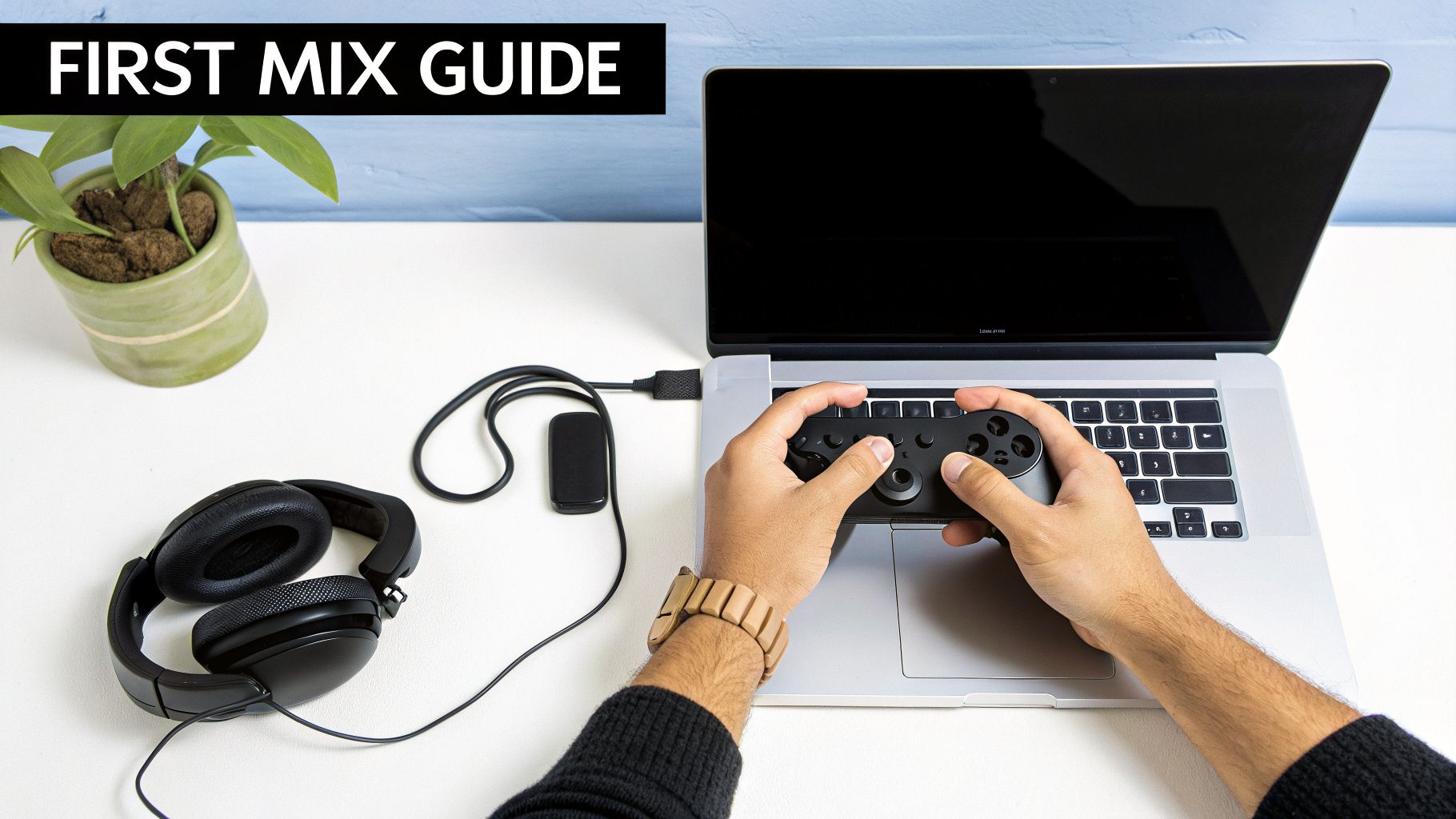
Getting your new controller out of the box is exciting, but the real magic happens the moment you perform your first proper mix. Let’s walk through the whole process, from plugging it in to blending two tracks so smoothly that nobody even notices the change. This is where your DJ journey truly begins.
First, let’s get the hardware sorted. Most beginner controllers keep things simple, connecting to your laptop with a single USB cable that handles both power and data. Just plug that in. Then, run a cable from the Master Out sockets on the back of your controller to your speakers, and plug your headphones into the dedicated jack, which is usually on the front.
Getting the Software and Music Ready
With everything connected, it’s time for the software. Whether you’re using Rekordbox, Serato, or another platform, grab the latest version from their official website. Once you run the installer, your software should automatically recognise the controller you just plugged in.
Of course, you can’t DJ without tunes. The best way to build a solid, reliable collection is to buy your tracks from places like Bandcamp or Beatport. After you’ve downloaded them, just drag the music files from your computer’s folders straight into your DJ software’s library or a dedicated ‘crate’. The software will do its thing, analysing each track to show you the BPM and musical key.
Your headphones are absolutely essential for what comes next. They let you secretly cue up and listen to the next track while the current one is playing out to the room. If you’re looking for a great pair, our guide on the best audiophile headphones has some recommendations that are brilliant for monitoring, too.
Pulling Off Your First Foundational Mix
Right, let’s put it all together. This simple mixing technique is the absolute bedrock of DJing. Every complex trick you’ll ever learn starts right here.
- Load Your Tracks: Drag one song to Deck A and another to Deck B. Hit play on Deck A—this is the track your audience (or just you, for now) can hear.
- Cue the Next Track: Make sure the channel fader for Deck B is all the way down, then press its Cue button. Now, you can hear Deck B in your headphones, but it’s completely silent to everyone else. Press play on Deck B.
- Beatmatch: This is all about feel and listening. Use the jog wheel on Deck B to nudge the track forward or back until its beats are perfectly in time with Deck A. Your screen’s beat grids are a good guide, but your ears are the final judge. You’re listening for the two kick drums to sound like one single, powerful thump.
- Blend with EQs: Once the beats are locked, you need to make room for the new track. Slowly turn the bass EQ knob down on Deck A as you bring the bass up on Deck B. This is called ‘swapping the basslines’, and it stops your mix from sounding muddy and cluttered.
- Complete the Transition: With the new bassline in, smoothly slide the crossfader from Deck A all the way over to Deck B. That’s it. Your second track is now playing, and you’ve just nailed your first seamless mix.
This basic process is the core skill behind every DJ set you’ve ever heard. Get this down, and you’ll build the muscle memory and confidence to start experimenting and finding your own style.
Your Questions Answered: Beginner DJ Controllers
Getting started is always full of questions. We get it. To help clear things up, we’ve put together answers to the most common queries we hear from DJs who are just starting their journey. This should cover the practical stuff and give you the confidence to pick the right gear.
Do I Need to Buy Speakers for My DJ Controller?
Yes, absolutely. While headphones are your best friend for cueing up the next track in private, you need a proper set of monitor speakers to actually hear what your mix sounds like out loud. Trust us, your laptop’s built-in speakers just won’t cut it for learning the craft.
We recommend a pair of active (or powered) monitor speakers to get started. They’re simple to set up, plugging straight into your controller’s master output sockets, and give you an honest reflection of your sound.
Can I Use Spotify or Apple Music with My DJ Controller?
The short answer is no. Major streaming services like Spotify and Apple Music have tight licensing restrictions that prevent them from integrating with any DJ software. Trying to find a workaround will only lead to dead ends.
However, most DJ platforms now support streaming services built specifically for DJs. You’ve got great options like TIDAL, SoundCloud Go+, and Beatport Streaming. The most professional approach, though, is always to buy and own your music files, whether they’re MP3s, WAVs, or FLACs.
A Quick Tip on Music: Building your own library of high-quality audio files is a rite of passage for any DJ. It means your music is always yours, ready to go, and gives you complete control over your collection. That independence is vital as you get more serious.
How Much Should I Spend on My First DJ Controller?
For a quality best dj controller for beginners that won’t hold you back, you should expect to spend somewhere between £250 and £450.
Controllers in this price range hit the sweet spot. They offer all the essential features you need, a solid build quality that will last, and come bundled with capable software. It’s everything a newcomer needs to get going without breaking the bank.
Is a Two-Channel Controller Enough to Start With?
One hundred percent. A two-channel controller is the perfect place to start. It forces you to focus on the absolute fundamentals of DJing—beatmatching, phrasing, and EQing—without unnecessary distractions.
Don’t fall into the trap of thinking more channels equal a better DJ. Countless professional DJs still rock two-channel setups for most of their sets. It proves that mastering the basics is what truly separates the good from the great.
Ready to find the perfect gear to launch your DJ career? Explore our curated selection of controllers, turntables, and accessories at VinylGold. We only stock equipment we’ve tested and trust for real-world performance. Check out the collection at https://www.vinylgold.co.uk.